
 15
15presentation
Flying Saucer History Lesson Deck
Build an engaging World UFO Day session with this flying saucer history lesson deck, featuring retro green-and-brown slides for PowerPoint and Google Slides.
Google SlidesPowerPoint
presentation · English
Turn complex interactions into a clear customer experience touchpoint flow with colorful 3D slides for PowerPoint and Google Slides.


Design notes
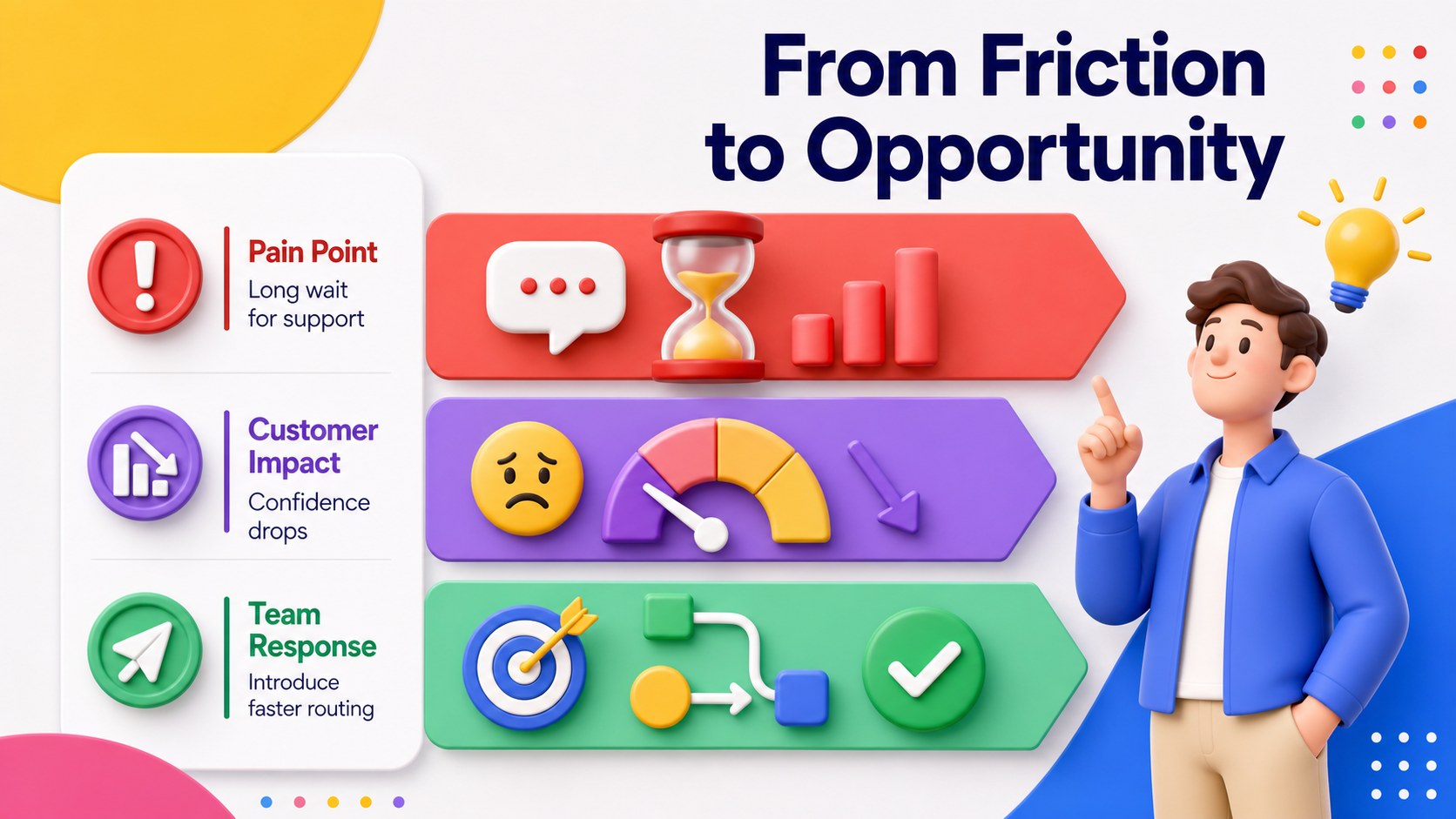
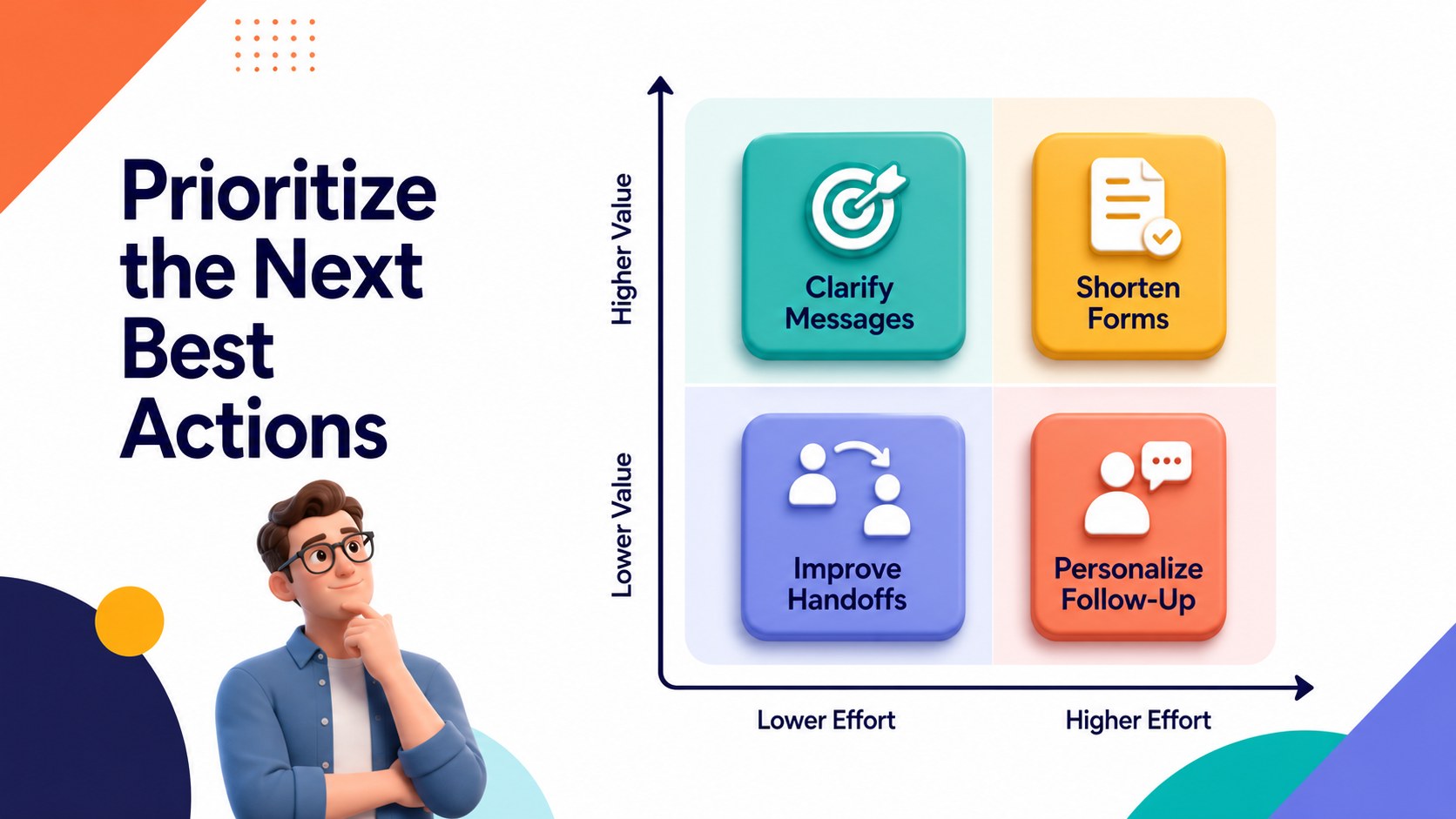
Build a shared view of every customer interaction with the Customer Experience Touchpoint Flow. Designed for business teams, consultants, and service leaders, this colorful 3D presentation turns complex pathways into a structured visual narrative. Use it to connect customer actions with channels, emotions, friction points, and improvement ideas without overwhelming your audience.
The deck includes four editable 16:9 layouts for presenting an experience overview, evaluating critical interactions, comparing pain points with opportunities, and setting priorities. Each layout combines bold multicolored forms, dimensional illustrations, concise labels, and clear directional cues. Together, they work as a customer touchpoint visualization template that can be adapted to a product, service, campaign, or support process. Text, colors, shapes, and sequencing can be customized in PowerPoint or Google Slides.
This 3D customer experience presentation is useful for journey workshops, user research readouts, customer success reviews, and cross-functional planning sessions. Marketing teams can visualize channel transitions, product teams can connect user needs to features, and service managers can identify breakdowns across support stages. The layouts also support a customer pain point analysis when teams need to explain what is happening, why it matters, and which response should come next. Use the complete deck or select individual diagrams for reports, proposals, and internal strategy presentations.
Perfect for: customer journey workshop; service improvement review; user research presentation; marketing channel analysis; customer success planning.
Frequently asked questions
Can I edit every part of the diagrams? Yes. You can revise the labels, reorder stages, adjust colors, and resize the diagram elements to match your process. The layouts are designed for straightforward customization without rebuilding the visuals.
Practical details
Yes. You can revise the labels, reorder stages, adjust colors, and resize the diagram elements to match your process. The layouts are designed for straightforward customization without rebuilding the visuals.
The template is compatible with PowerPoint and Google Slides. Some font spacing, transitions, or dimensional effects may need minor adjustments when moving between platforms.
Yes. Replace the sample touchpoints with stages from websites, retail locations, mobile apps, email, social media, or customer support. You can also duplicate or remove stages to reflect shorter or longer experiences.
Yes. Dedicated layouts help connect customer actions with friction points, business impact, and improvement opportunities. Teams can use color coding or labels to indicate urgency, ownership, and priority.
Keep exploring
15Build an engaging World UFO Day session with this flying saucer history lesson deck, featuring retro green-and-brown slides for PowerPoint and Google Slides.
 15
15Plan a lively animal-learning journey with this jungle zoo adventure lesson deck, ready to customize in PowerPoint and Google Slides for young learners.
 16
16Turn environmental research into a clear story with a Watercolor Ecology Presentation Theme for PowerPoint and Google Slides in calming green and blue.
 16
16Build focused fashion, literature, and humanities presentations with the Red Triangle Editorial Theme, editable in PowerPoint and Google Slides.
 15
15Turn streaming stats, favorite tracks, and concert highlights into a bold annual listening recap slide deck for PowerPoint and Google Slides.
 15
15Turn highlights, milestones, and favorite moments into a colorful year in review slide deck with bold 3D graphics for PowerPoint and Google Slides.
 3
3Build a credible endorsement with Standout Colleague Recommendation Letter Slides, featuring colorful prompts for skills, achievements, and team impact.
 4
4Build clear beginner sessions with an ice hockey fundamentals training deck for coaches, PE teachers, and clubs, ready for PowerPoint and Google Slides.