
 15
15presentation
Flying Saucer History Lesson Deck
Build an engaging World UFO Day session with this flying saucer history lesson deck, featuring retro green-and-brown slides for PowerPoint and Google Slides.
Google SlidesPowerPoint
presentation · English
Explain cache, RAM, and storage clearly with a computer memory levels diagram kit for polished lessons, reports, PowerPoint, and Google Slides.
Design notes
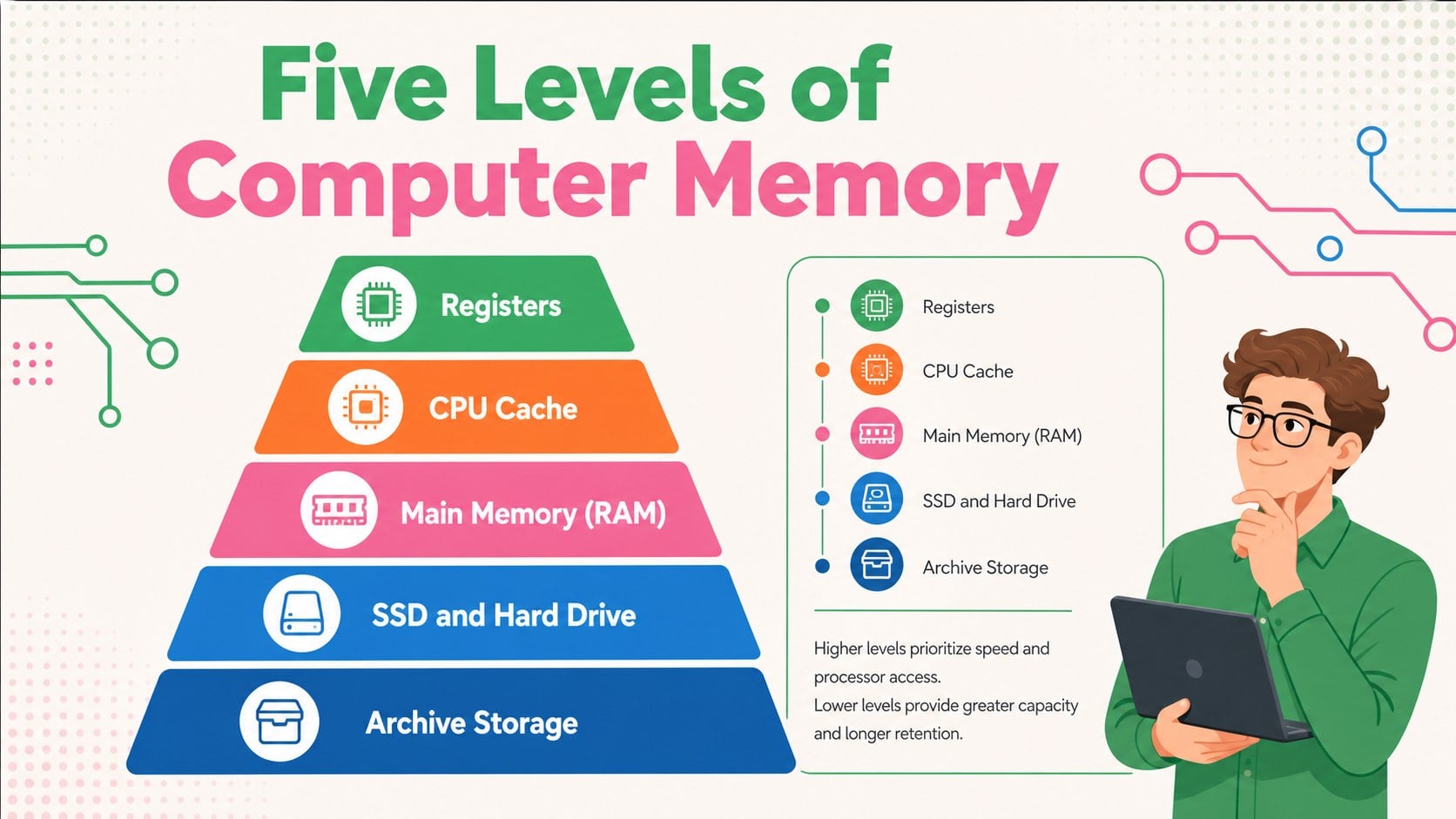
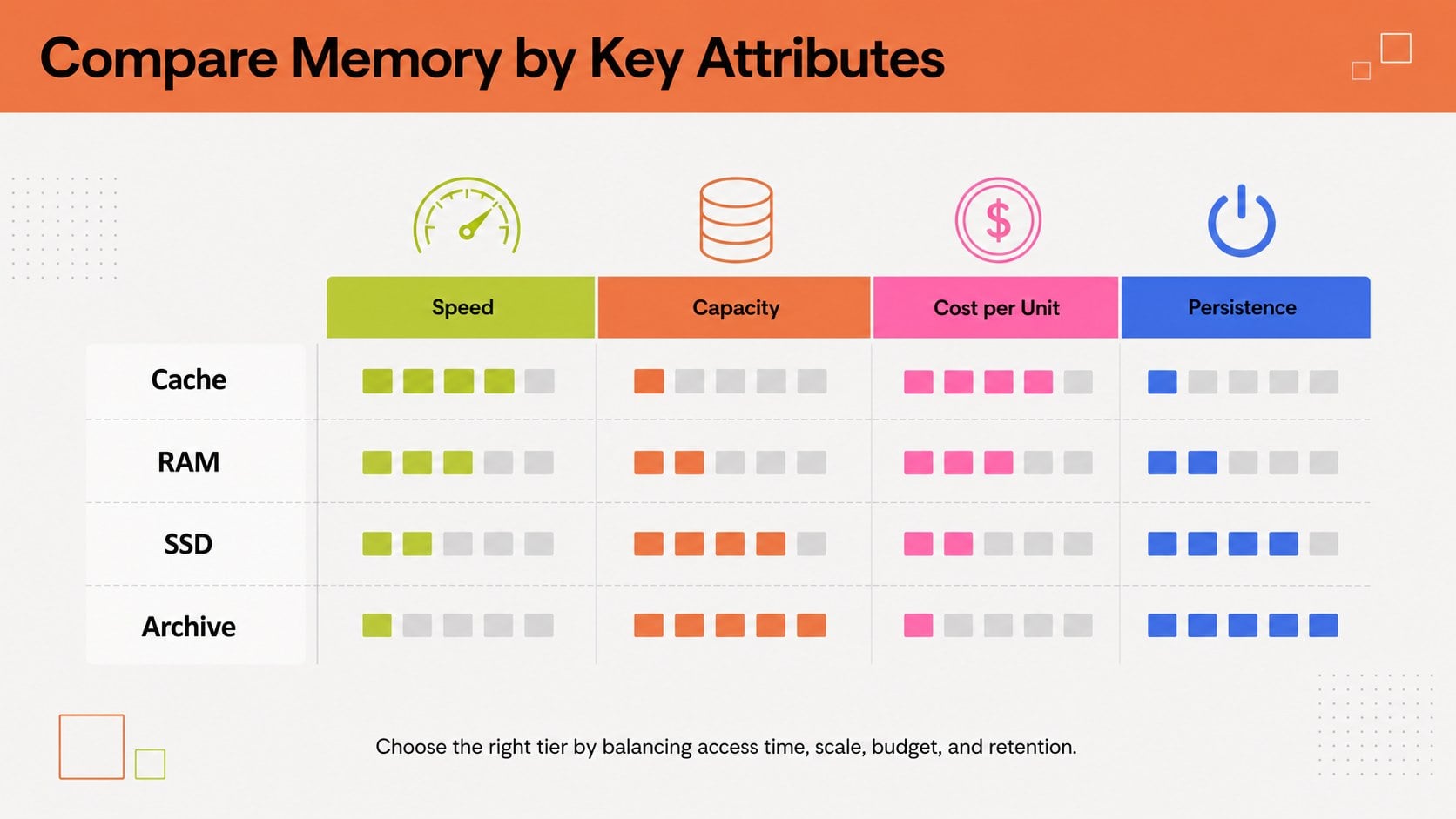
The Computer Memory Levels Diagram Kit helps presenters explain how speed, capacity, cost, and proximity to the processor change across a computing system. Its clean geometric layouts and energetic green, orange, pink, and blue palette make technical relationships easier to follow without overwhelming the audience. Use the slides in PowerPoint or Google Slides for training, reports, lectures, and project discussions.
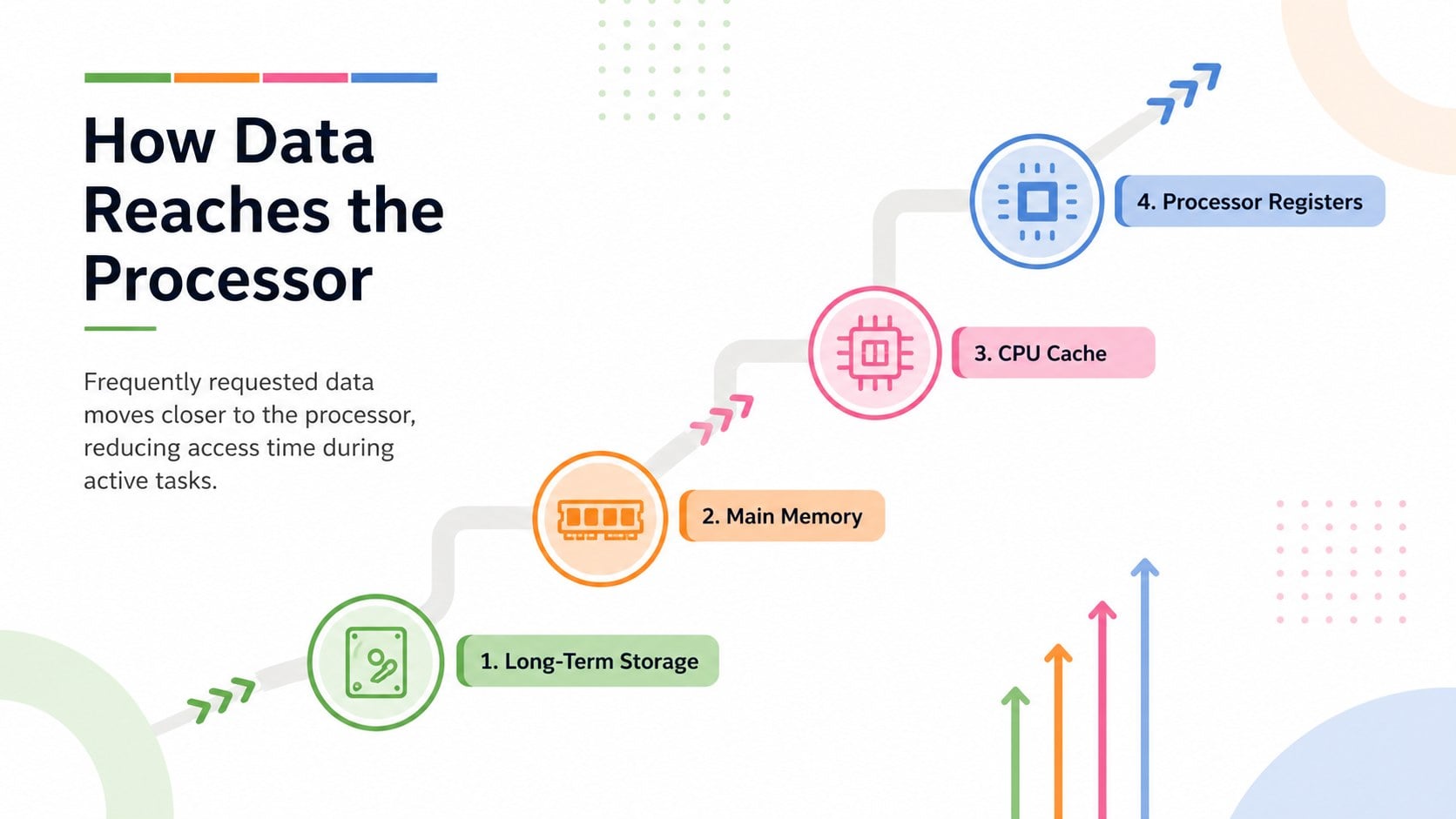
Inside are four coordinated infographic layouts for presenting registers, CPU cache, RAM, secondary storage, and archival storage. The selection includes a tiered overview, a cache RAM storage hierarchy slide, a side-by-side attribute comparison, and a data-flow sequence. Every layout can be adapted with your own labels, figures, icons, shapes, transitions, and supporting notes. The modern typography and spacious structure also make this a practical computer architecture infographic template for dense or unfamiliar material.
This kit is designed for IT trainers, computer science educators, systems consultants, technical sales teams, and business professionals who need to communicate infrastructure concepts to mixed audiences. It works equally well for an introductory memory pyramid presentation, a hardware briefing, an architecture review, or a client-facing explanation of performance tradeoffs. Customize the color assignments to represent different technologies, replace sample values with current specifications, and reorder the tiers to match the system being discussed.
Perfect for: computer science lecture; IT employee training; systems architecture review; hardware performance briefing; technical client presentation.
Frequently asked questions
Can I edit every level in the diagrams? Yes. Labels, values, colors, shapes, icons, and tier order can be changed to match your system or lesson. You can also duplicate or remove levels when presenting a simpler or more detailed architecture.
Practical details
Yes. Labels, values, colors, shapes, icons, and tier order can be changed to match your system or lesson. You can also duplicate or remove levels when presenting a simpler or more detailed architecture.
The kit is designed for Microsoft PowerPoint and Google Slides. Core layouts, text, and graphical elements remain editable on both platforms.
Yes. Replace the examples with technologies such as registers, L1-L3 cache, DRAM, SSDs, hard drives, cloud storage, or tape archives. The diagrams can also represent non-computing tier systems with similar relationships.
Assign one palette color to each memory level or use colors to distinguish speed, capacity, and cost. Keep the same mapping across all four slides so the presentation remains easy to interpret.
Keep exploring
15Build an engaging World UFO Day session with this flying saucer history lesson deck, featuring retro green-and-brown slides for PowerPoint and Google Slides.
 15
15Plan a lively animal-learning journey with this jungle zoo adventure lesson deck, ready to customize in PowerPoint and Google Slides for young learners.
 16
16Turn environmental research into a clear story with a Watercolor Ecology Presentation Theme for PowerPoint and Google Slides in calming green and blue.
 16
16Build focused fashion, literature, and humanities presentations with the Red Triangle Editorial Theme, editable in PowerPoint and Google Slides.
 15
15Turn streaming stats, favorite tracks, and concert highlights into a bold annual listening recap slide deck for PowerPoint and Google Slides.
 15
15Turn highlights, milestones, and favorite moments into a colorful year in review slide deck with bold 3D graphics for PowerPoint and Google Slides.
 3
3Build a credible endorsement with Standout Colleague Recommendation Letter Slides, featuring colorful prompts for skills, achievements, and team impact.
 4
4Build clear beginner sessions with an ice hockey fundamentals training deck for coaches, PE teachers, and clubs, ready for PowerPoint and Google Slides.