
 15
15presentation
Flying Saucer History Lesson Deck
Build an engaging World UFO Day session with this flying saucer history lesson deck, featuring retro green-and-brown slides for PowerPoint and Google Slides.
Google SlidesPowerPoint
presentation · English
Build a competitive gaming results dashboard for tournaments, streams, and team recaps with green illustrated slides, editable in PowerPoint and Google…


Design notes
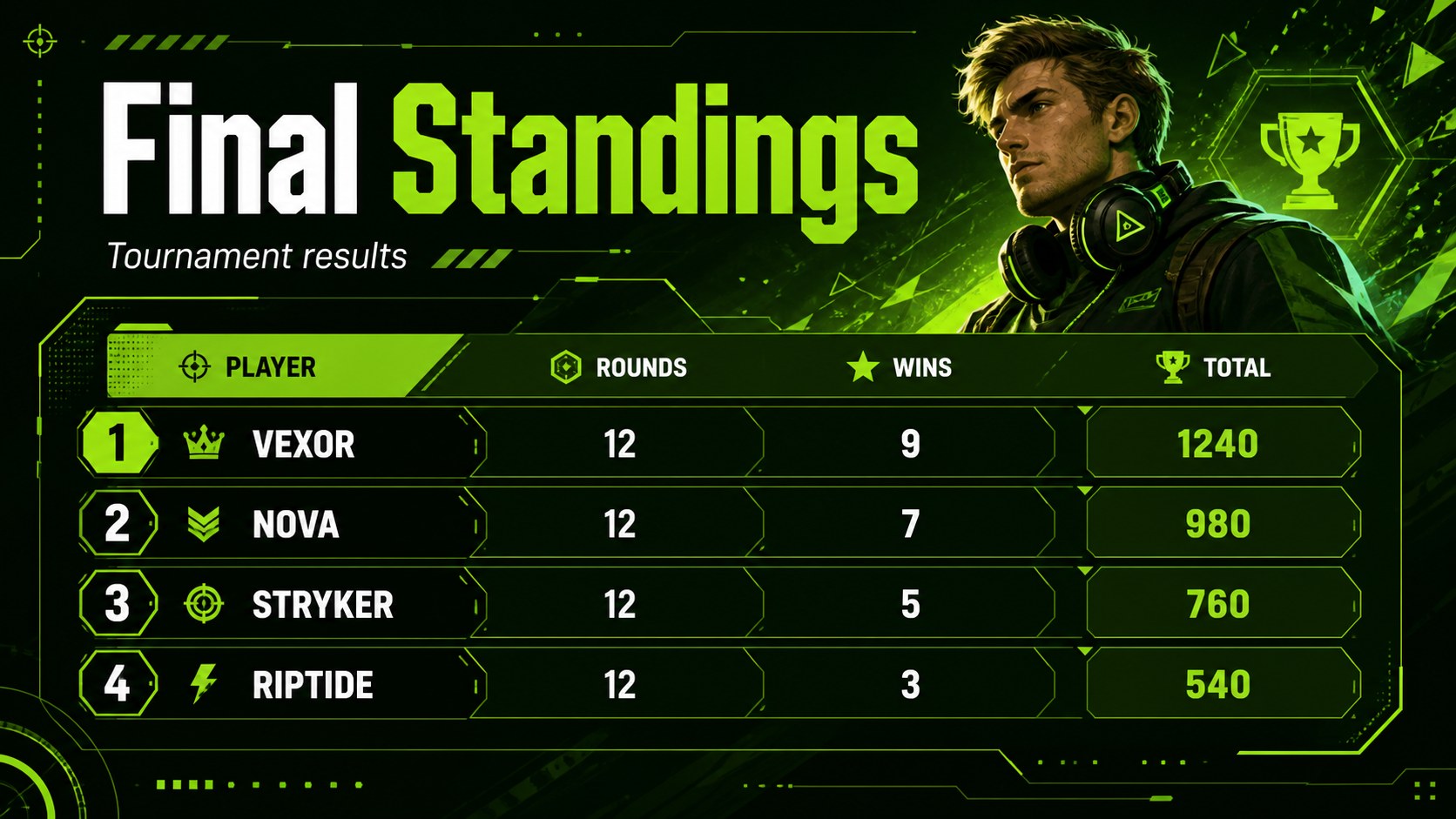
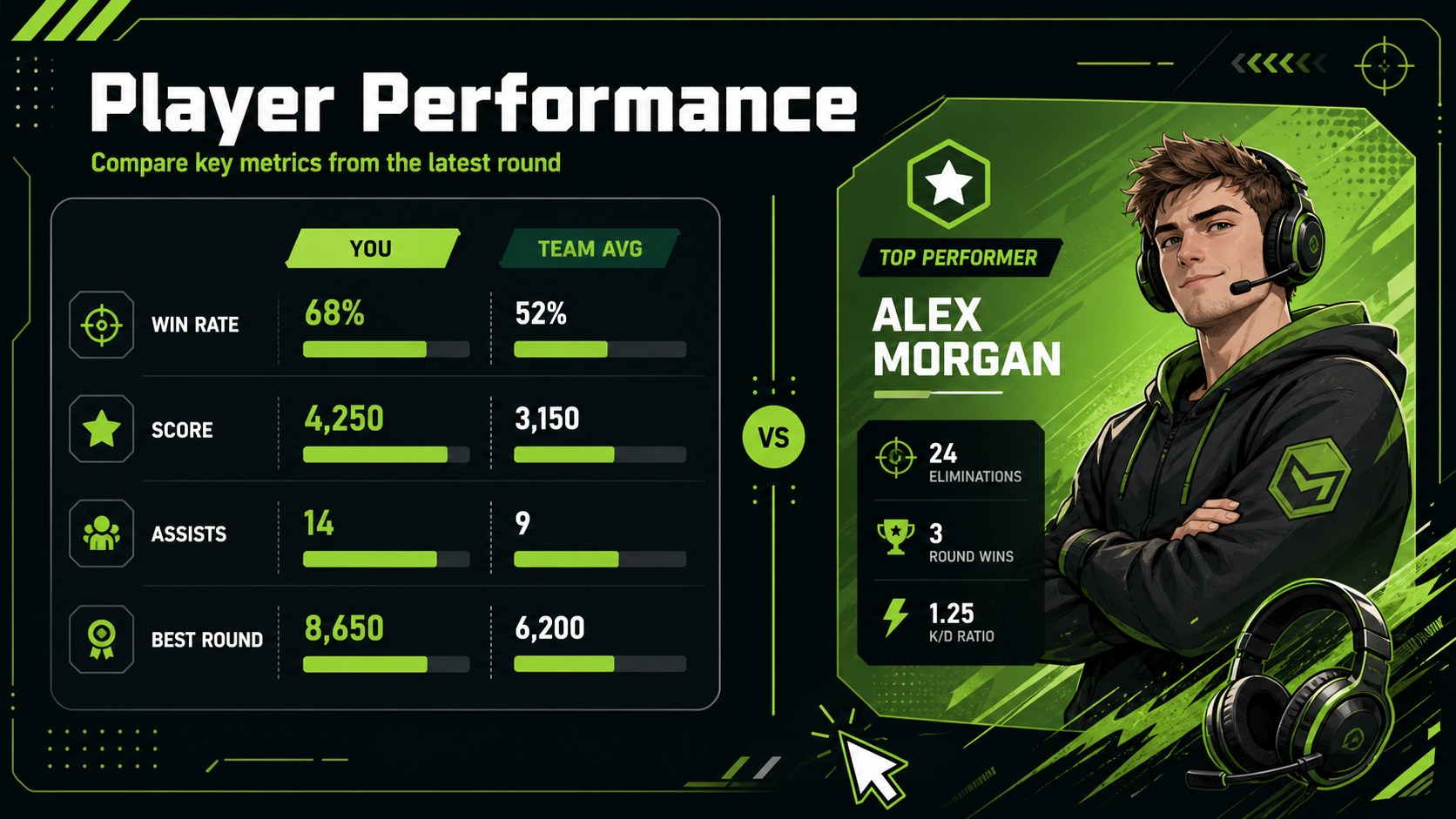
Competitive gaming results dashboard slides make it easier to turn match statistics, rankings, and player highlights into a polished visual story. Use the energetic green palette, modern illustrations, and clean infographic layouts to present results that are quick to scan and easy to remember. The design works equally well for a live tournament recap, a team performance review, or a streamer’s weekly content package.
Inside, you’ll find four editable 16:9 slides with score panels, ranking blocks, stat comparisons, highlight areas, and flexible chart elements. Adapt the layouts for an esports tournament scoreboard template, a gaming performance tracker, or a streamer match recap presentation. Replace team names, player statistics, badges, icons, and accent colors while preserving the cohesive visual system. League Spartan is used throughout for a strong, readable typographic style.
This deck is designed for esports organizers, gaming communities, competitive teams, coaches, content creators, and event sponsors. Present final standings, compare rounds, spotlight standout players, or summarize a season in PowerPoint or Google Slides. The visual hierarchy keeps key numbers prominent while leaving enough space for notes, supporting context, and custom graphics.
Perfect for: esports tournament recap; gaming team performance review; streamer weekly match summary; league standings announcement; event sponsor results report.
Frequently asked questions
Can I edit this template in PowerPoint? Yes. The slides are designed for PowerPoint editing, including text, charts, shapes, colors, and illustrations. You can update the match data without rebuilding the layouts.
Practical details
Yes. The slides are designed for PowerPoint editing, including text, charts, shapes, colors, and illustrations. You can update the match data without rebuilding the layouts.
Yes. Upload the PowerPoint file to Google Drive and open it with Google Slides. Review fonts and spacing after import, then customize the deck directly in your browser.
Use the slides for player scores, team rankings, round wins, kill counts, completion times, win rates, and other match statistics. The infographic blocks can also be adapted for schedules, awards, or sponsor highlights.
Yes. Replace the green accents with your team or event colors and edit the illustration elements to match your visual identity. Keep the contrast between the background, data panels, and typography so the results remain easy to read.
Keep exploring
15Build an engaging World UFO Day session with this flying saucer history lesson deck, featuring retro green-and-brown slides for PowerPoint and Google Slides.
 15
15Plan a lively animal-learning journey with this jungle zoo adventure lesson deck, ready to customize in PowerPoint and Google Slides for young learners.
 16
16Turn environmental research into a clear story with a Watercolor Ecology Presentation Theme for PowerPoint and Google Slides in calming green and blue.
 16
16Build focused fashion, literature, and humanities presentations with the Red Triangle Editorial Theme, editable in PowerPoint and Google Slides.
 15
15Turn streaming stats, favorite tracks, and concert highlights into a bold annual listening recap slide deck for PowerPoint and Google Slides.
 15
15Turn highlights, milestones, and favorite moments into a colorful year in review slide deck with bold 3D graphics for PowerPoint and Google Slides.
 3
3Build a credible endorsement with Standout Colleague Recommendation Letter Slides, featuring colorful prompts for skills, achievements, and team impact.
 4
4Build clear beginner sessions with an ice hockey fundamentals training deck for coaches, PE teachers, and clubs, ready for PowerPoint and Google Slides.