
 15
15presentation
Flying Saucer History Lesson Deck
Build an engaging World UFO Day session with this flying saucer history lesson deck, featuring retro green-and-brown slides for PowerPoint and Google Slides.
Google SlidesPowerPoint
presentation · English
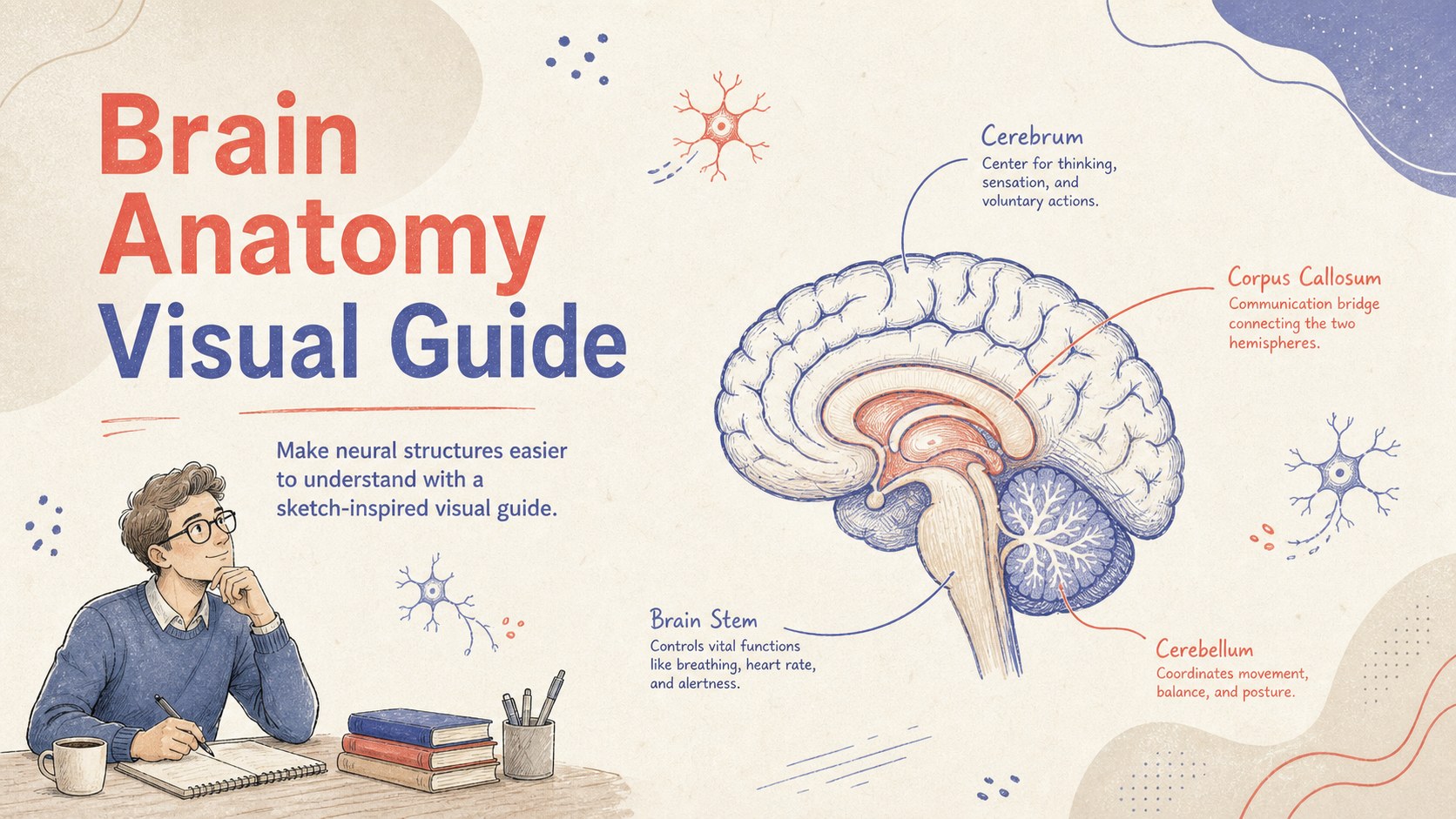
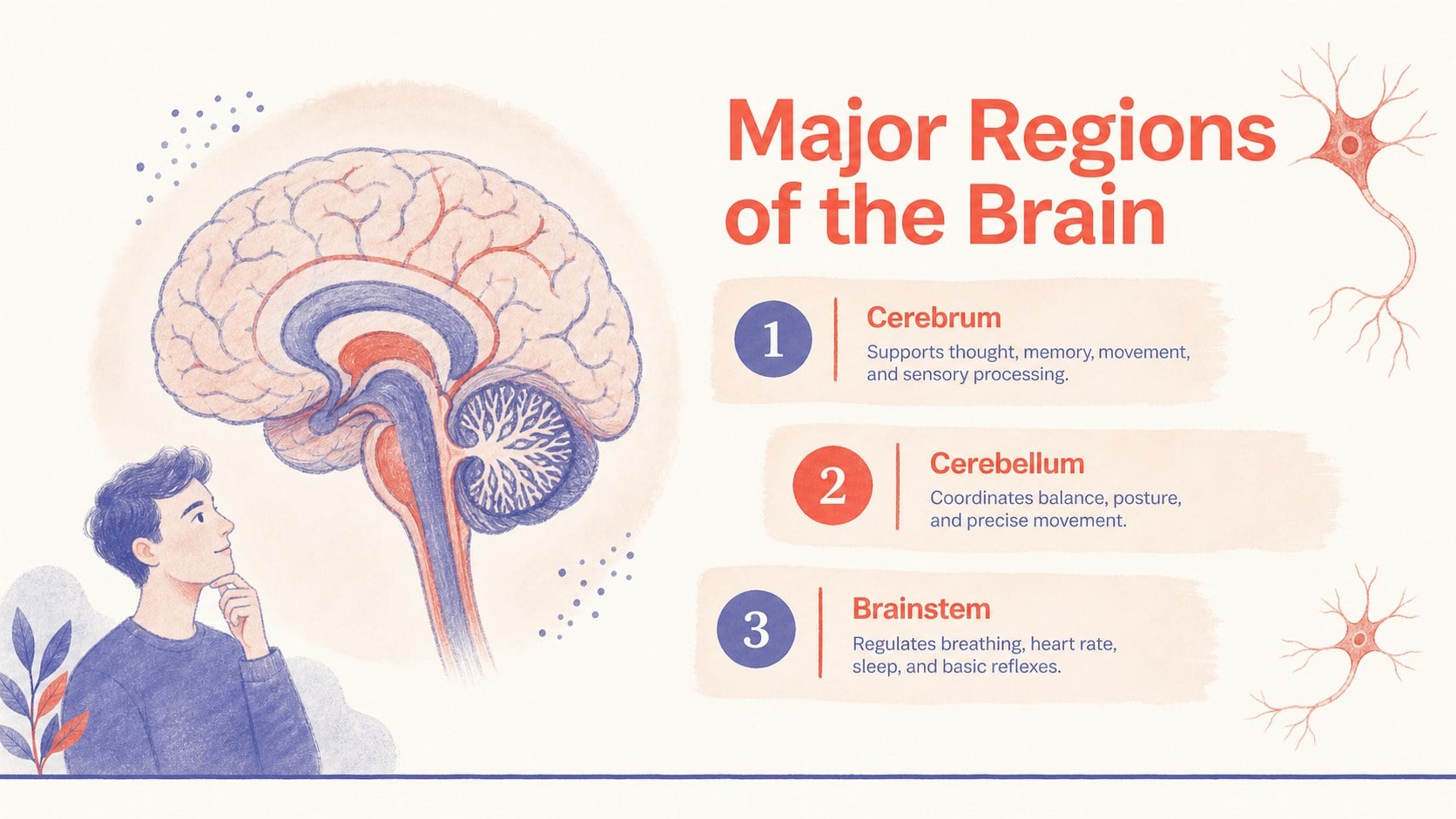
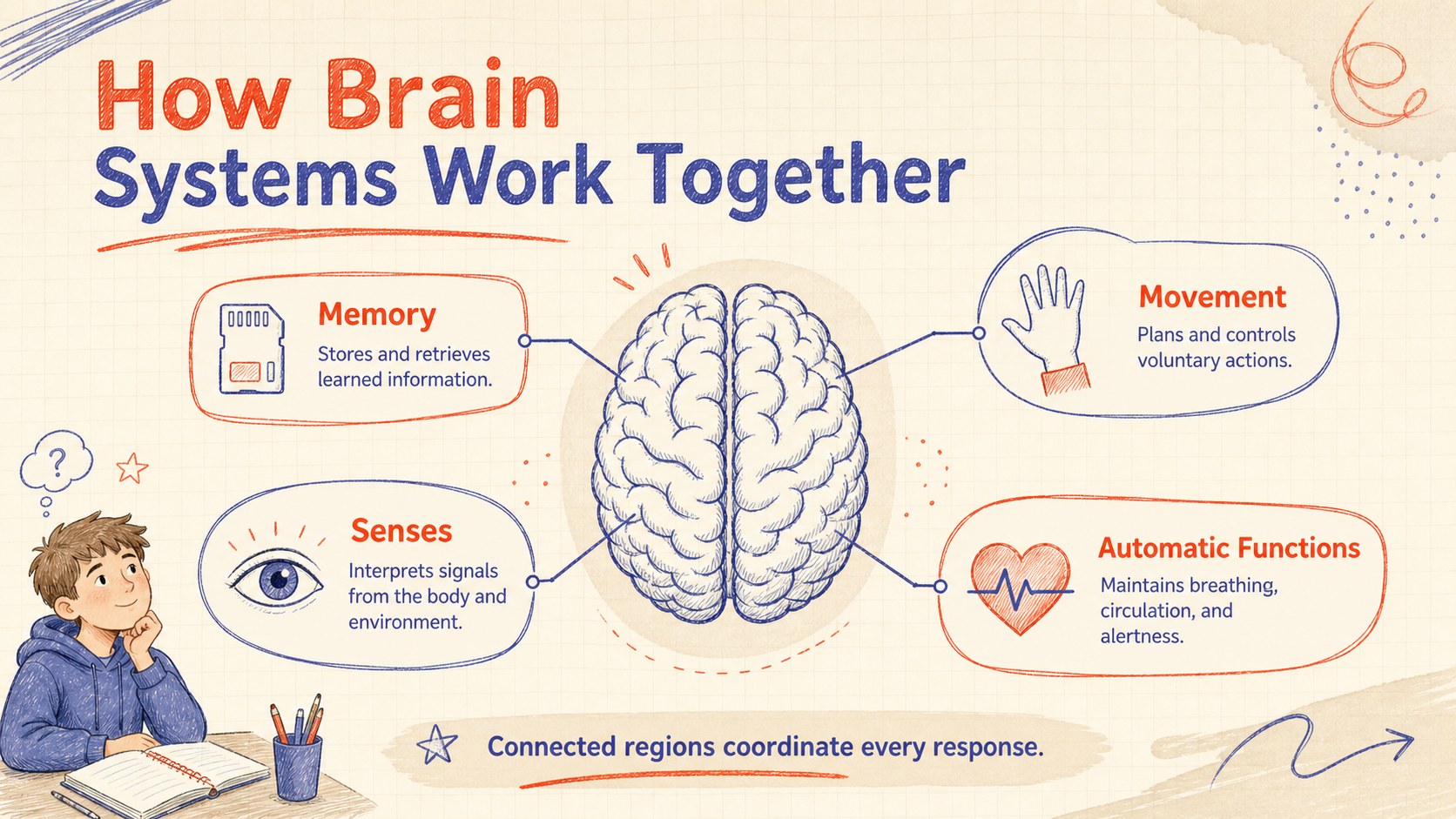
Turn complex neuroscience topics into clear visuals with this brain anatomy visual guide for editable PowerPoint and Google Slides classroom presentations.
Design notes
Make neuroscience easier to explore with this Brain Anatomy Visual Guide, an illustrated resource designed for clear explanations and memorable study materials. Its hand-drawn details, warm beige background, and focused red and blue accents give scientific information an approachable classroom feel. Use the layout as a brain anatomy infographic for students, a revision handout, or a visual companion to a biology presentation.
Inside, you will find three coordinated slides for introducing the topic, identifying major brain regions, and summarizing essential functions. Editable labels and concise text areas help you explain the cerebrum, cerebellum, brainstem, and related systems without crowding the page. The visual structure also works as a labeled brain diagram presentation or a human brain regions study guide. Adjust the wording, colors, type, and diagram callouts in PowerPoint or Google Slides to match your curriculum and teaching level.
This template is suited to biology teachers, neuroscience instructors, medical education teams, tutors, and students preparing assignments. It can support anatomy lessons, exam revision, health science workshops, laboratory discussions, or introductory psychology classes. The portrait-inspired infographic styling remains easy to scan when presented on screen, exported for digital learning, or adapted into a printable reference sheet.
Perfect for: high school biology lesson; neuroscience study session; medical anatomy review; psychology class presentation; brain regions revision handout.
Frequently asked questions
Can I edit the brain labels and explanations? Yes. The labels, headings, callouts, and supporting text can be revised to fit your lesson content or study level. You can also simplify the terminology for younger learners or add more technical detail for advanced classes.
Practical details
Yes. The labels, headings, callouts, and supporting text can be revised to fit your lesson content or study level. You can also simplify the terminology for younger learners or add more technical detail for advanced classes.
The template is designed for Microsoft PowerPoint and Google Slides. Import or open the file in your preferred platform, then edit the text, colors, and visual elements.
Yes. Replace the accent colors to match a school, department, or course theme while retaining the illustrated visual structure. For readability, keep strong contrast between labels, diagrams, and the background.
The slides can be exported as PDF files and printed as classroom references or revision sheets. Check the print preview first and choose a suitable scaling option for your paper size.
Keep exploring
15Build an engaging World UFO Day session with this flying saucer history lesson deck, featuring retro green-and-brown slides for PowerPoint and Google Slides.
 15
15Plan a lively animal-learning journey with this jungle zoo adventure lesson deck, ready to customize in PowerPoint and Google Slides for young learners.
 16
16Turn environmental research into a clear story with a Watercolor Ecology Presentation Theme for PowerPoint and Google Slides in calming green and blue.
 16
16Build focused fashion, literature, and humanities presentations with the Red Triangle Editorial Theme, editable in PowerPoint and Google Slides.
 15
15Turn streaming stats, favorite tracks, and concert highlights into a bold annual listening recap slide deck for PowerPoint and Google Slides.
 15
15Turn highlights, milestones, and favorite moments into a colorful year in review slide deck with bold 3D graphics for PowerPoint and Google Slides.
 3
3Build a credible endorsement with Standout Colleague Recommendation Letter Slides, featuring colorful prompts for skills, achievements, and team impact.
 4
4Build clear beginner sessions with an ice hockey fundamentals training deck for coaches, PE teachers, and clubs, ready for PowerPoint and Google Slides.