
 14
14presentation
2036 Dragon Year Celebration Theme
Plan a memorable Lunar New Year campaign with the 2036 Dragon Year Celebration Theme, featuring bold red-and-yellow slides for lessons and events.
Google SlidesPowerPoint
presentation · English
Set the mood with Fat Tuesday invitation slides featuring vivid blue gradients, bold 3D accents, and simple editing in PowerPoint and Google Slides.


Design notes
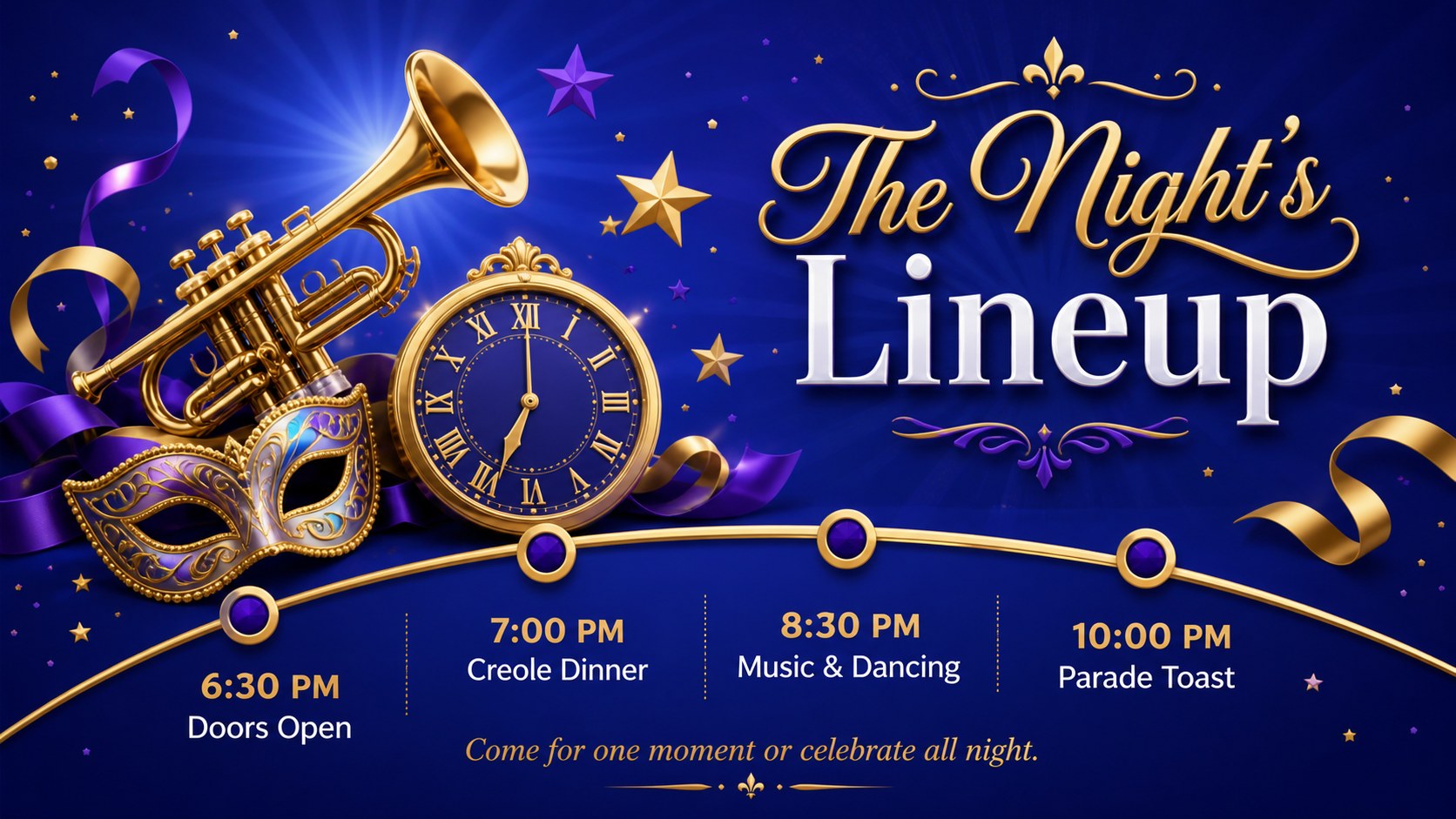
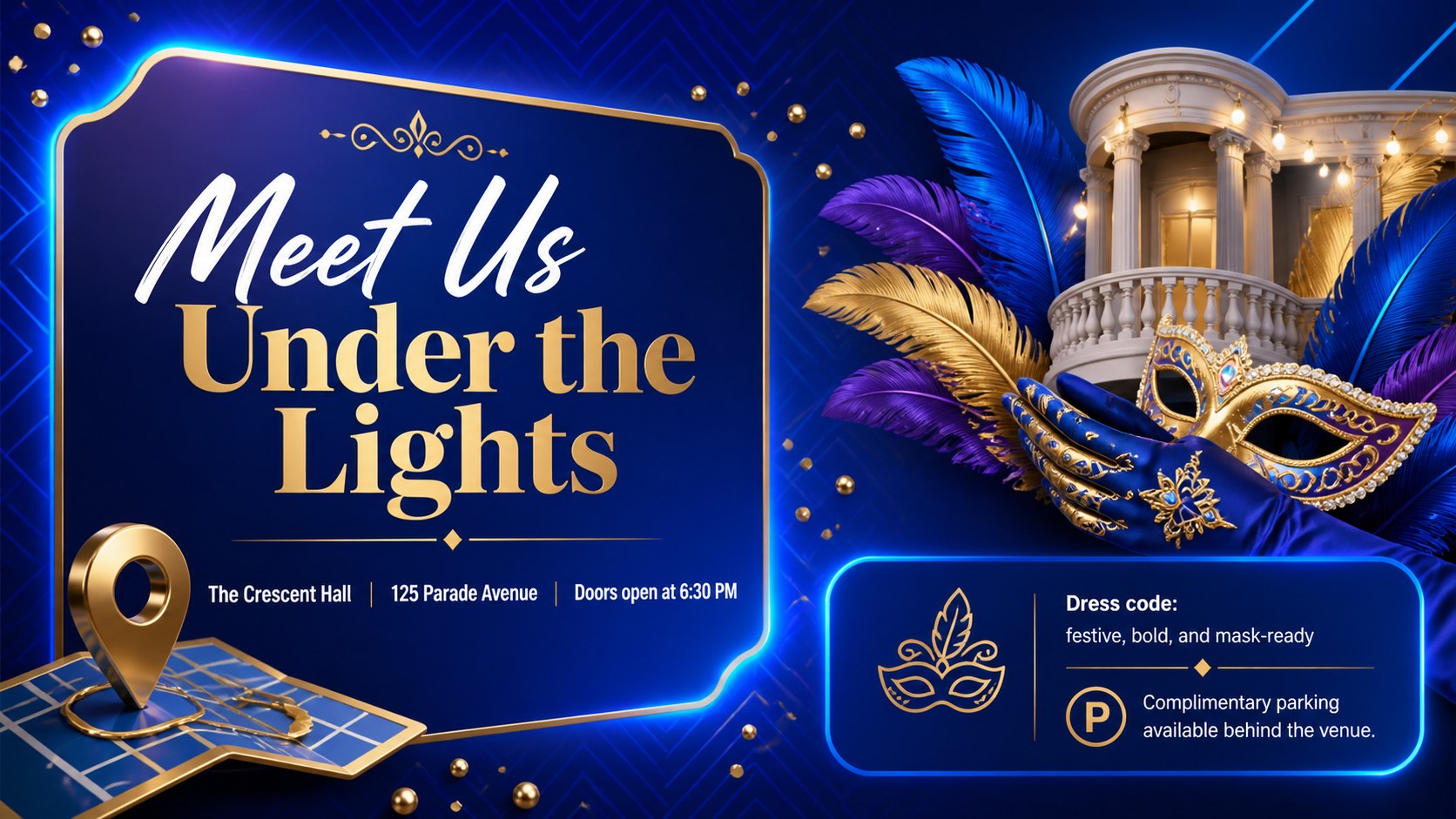
Set the celebration in motion with Fat Tuesday invitation slides designed to make event details feel energetic and polished. Vivid blue gradients, dimensional decorations, and playful carnival accents create a festive first impression while leaving essential information easy to read. Use this editable Mardi Gras party invitation for a private gathering, community celebration, themed dinner, school event, or late-night dance party.
The deck includes four coordinated invitation layouts covering the main announcement, event schedule, venue details, and RSVP information. Each composition provides editable areas for the date, time, location, dress code, contact details, and a short message to guests. Decorative masks, beads, confetti, musical motifs, and sculpted typography give the blue carnival invitation template a lively 3D character without overwhelming the practical details.
These slides are built for hosts, event planners, hospitality teams, educators, and community organizers who need a flexible Fat Tuesday event announcement. Customize the wording, colors, type styles, and graphic placement in PowerPoint or Google Slides, then present the invitation digitally or export individual pages for sharing and printing. The consistent visual system also makes this Google Slides carnival invitation useful for coordinating social posts, venue screens, email announcements, and printed handouts.
Perfect for: Mardi Gras house party invitation; Fat Tuesday dinner announcement; Community carnival event promotion; Masquerade dance invitation; School festival invitation; Restaurant celebration announcement.
Frequently asked questions
Can I edit the event details and invitation wording? Yes. The headlines, date, time, venue, RSVP details, and supporting copy can all be replaced with your own information. You can also reposition decorative elements to accommodate shorter or longer text.
Practical details
Yes. The headlines, date, time, venue, RSVP details, and supporting copy can all be replaced with your own information. You can also reposition decorative elements to accommodate shorter or longer text.
The template is designed for PowerPoint and Google Slides. Both platforms support editing the text, colors, shapes, and layout components used throughout the invitation deck.
Yes. Replace the blue gradients and accent colors with shades that match your event branding or theme. For consistent results, update the main background, 3D decorations, and text accents across all four slides.
Yes. After customization, export an individual slide as an image or PDF for email, social media, messaging, or printing. Check the final page dimensions and image quality before sending files to a commercial printer.
Keep exploring
14Plan a memorable Lunar New Year campaign with the 2036 Dragon Year Celebration Theme, featuring bold red-and-yellow slides for lessons and events.
 15
15Build playful lessons and party stories with a kid-friendly zombie celebration theme in purple, green and pastel blue for PowerPoint and Google Slides.
 15
15Build eerie lessons, campaigns, and story pitches with an undead survival scenario theme featuring editable slides for PowerPoint and Google Slides.
 3
3Share festive messages with a Lunar Horse New Year Wishes Theme, featuring bold red-and-yellow layouts for PowerPoint and Google Slides celebrations.
 15
15Bring zodiac traditions to life with a Lunar Snake Festival Presentation featuring 15 cheerful red illustrated slides for PowerPoint and Google Slides.
 6
6Honor teams and individuals with an Orange Year-End Recognition Certificate Set featuring six editable designs for PowerPoint and Google Slides.
 14
14Honor the people behind the headlines with a World Sports Press Appreciation Deck for PowerPoint and Google Slides, styled in crisp, modern green.
 15
15Teach, inspire, and celebrate with our Plant-Powered Vegetarian Day Lesson Deck, featuring cheerful editable visuals for PowerPoint and Google Slides.