
 15
15presentation
College Essay Thesis Builder Slides
Build stronger academic arguments with a college essay thesis builder featuring guided examples, revision prompts, and editable PowerPoint and Google Slides.
Google SlidesPowerPoint
presentation · English
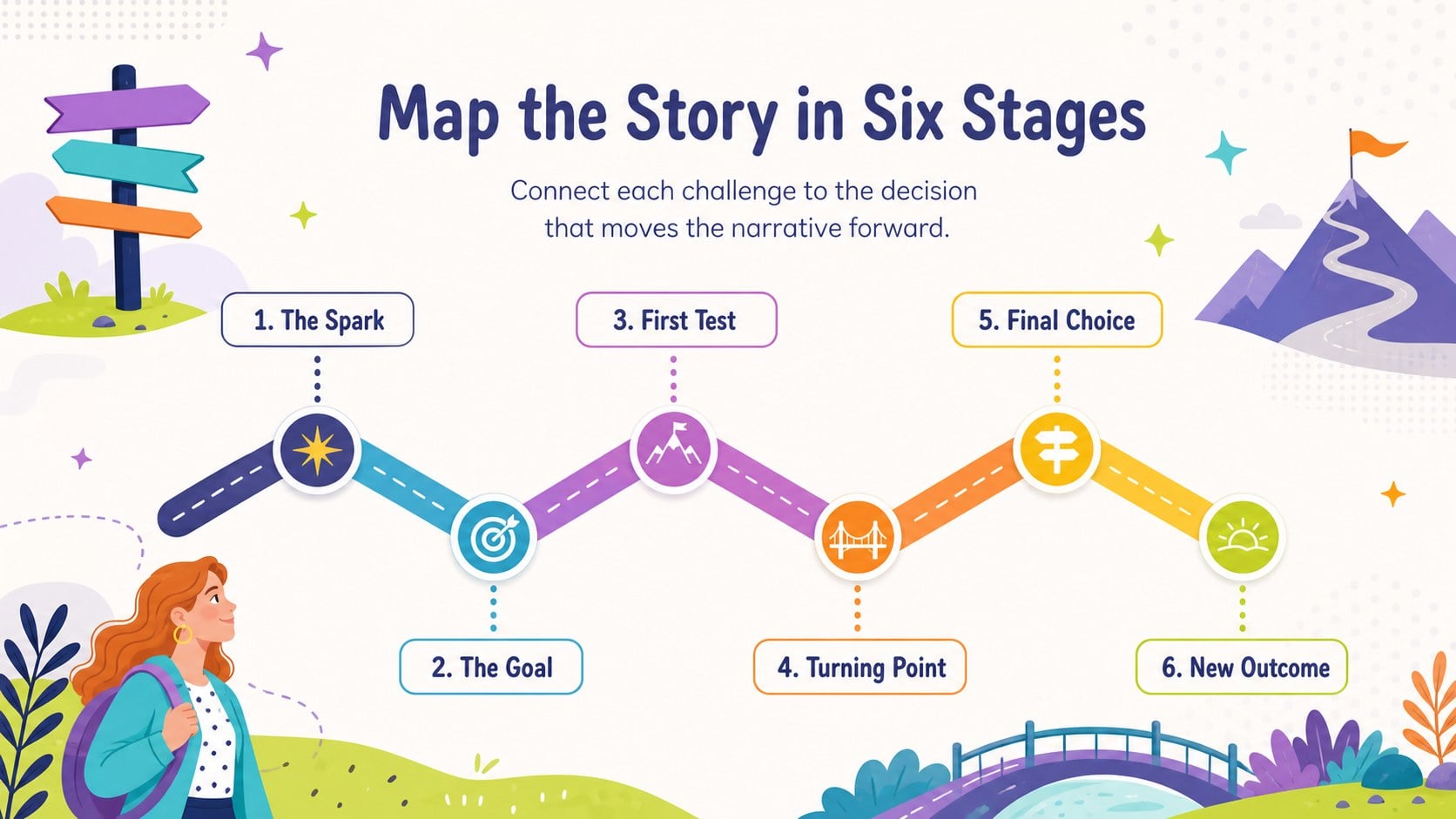
Build a clear story arc journey map with colorful, editable slides for plotting brand narratives, classroom tales, project milestones, and campaign ideas.

Design notes
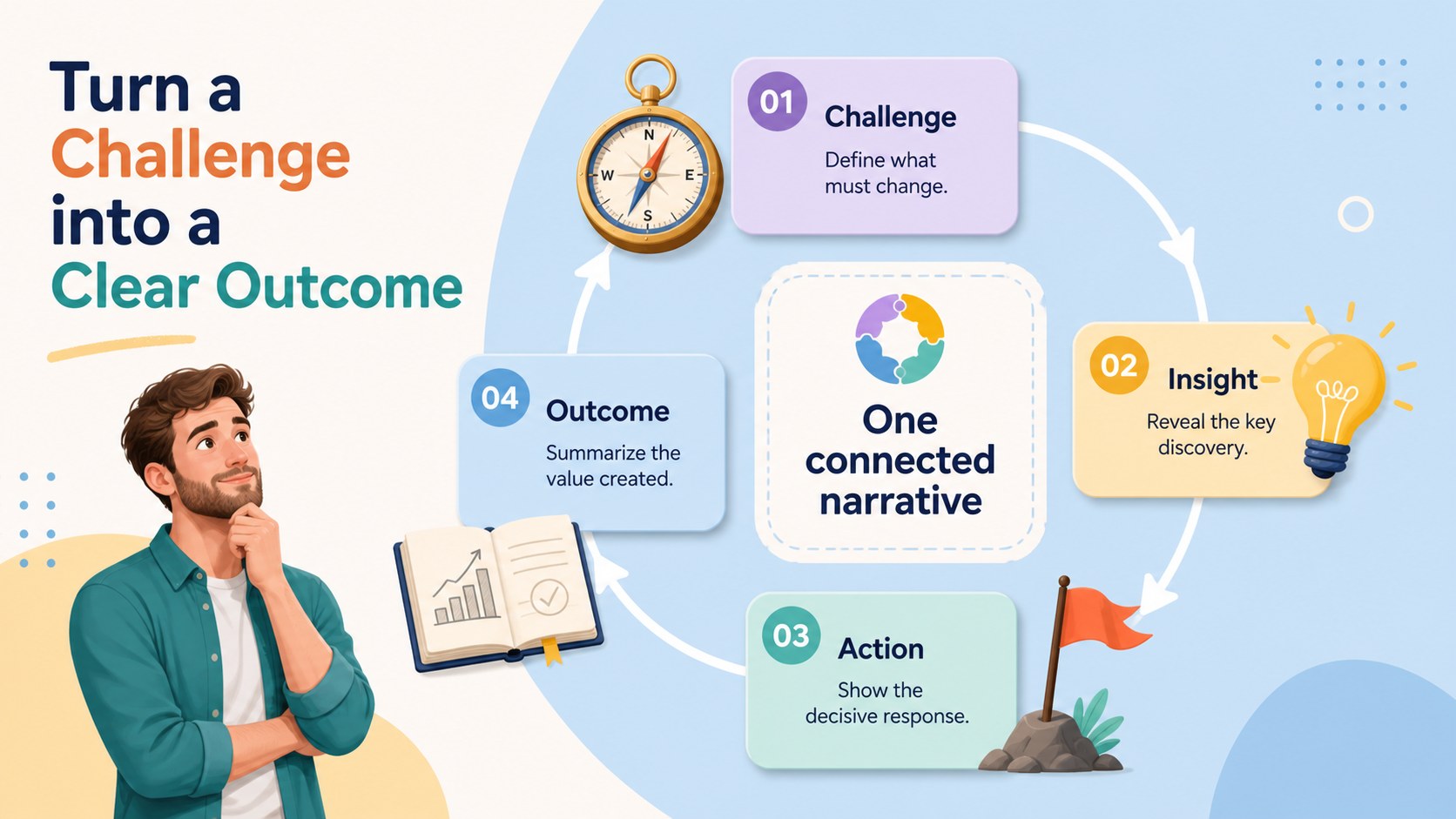
Bring structure to any narrative with this story arc journey map, a colorful presentation resource designed to make progression, conflict, and resolution easy to understand. Its energetic illustrations and approachable visual language help audiences follow each stage without losing sight of the larger objective.
The deck includes three editable infographic layouts for organizing a central character or goal, key turning points, obstacles, discoveries, and final outcomes. Use the circular route for an overview, the stepped path for sequential storytelling, or the milestone layout to connect actions with results. Shapes, labels, icons, colors, and text can be adjusted in PowerPoint or Google Slides. The layouts also work as a brand storytelling journey diagram, giving marketing teams a clear framework for campaign narratives and customer-focused presentations.
These slides suit business professionals, educators, writers, workshop facilitators, and creative teams. They can support narrative planning slides for teams, a classroom story structure presentation, product origin stories, project retrospectives, training scenarios, or strategic roadmaps. The multicolored palette keeps each phase distinct, while friendly original characters add personality without overwhelming the information. Whether you are outlining a fictional adventure or explaining how an idea develops from challenge to success, this deck offers a memorable framework that can be adapted to serious or playful settings.
Perfect for: brand origin story presentation; classroom plot structure lesson; campaign narrative planning; project milestone retrospective; creative writing workshop; product transformation story.
Frequently asked questions
Can I edit every stage of the journey map? Yes. You can revise the stage names, descriptions, colors, icons, and route labels to match your own narrative. Individual elements can also be moved or removed when you need fewer steps.
Practical details
Yes. You can revise the stage names, descriptions, colors, icons, and route labels to match your own narrative. Individual elements can also be moved or removed when you need fewer steps.
The template is designed for Microsoft PowerPoint and Google Slides. Both platforms support the core text, shape, color, and layout customization used throughout the deck.
Yes. Replace the fictional journey stages with customer decisions, campaign phases, product milestones, or organizational challenges. The visual progression works well for pitches, strategy sessions, and project reviews.
Add the names of characters, conflicts, turning points, and resolutions from the selected story. Teachers can also duplicate a layout to create a guided example followed by a student activity.
Keep exploring
15Build stronger academic arguments with a college essay thesis builder featuring guided examples, revision prompts, and editable PowerPoint and Google Slides.
 15
15Build an engaging World UFO Day session with this flying saucer history lesson deck, featuring retro green-and-brown slides for PowerPoint and Google Slides.
 14
14Plan a memorable Lunar New Year campaign with the 2036 Dragon Year Celebration Theme, featuring bold red-and-yellow slides for lessons and events.
 15
15Build a thoughtful classroom discussion with this interfaith awareness lesson deck, featuring editable blue-and-white slides for PowerPoint and Google Slides.
 15
15Use this environmental awareness lesson deck to teach climate action through illustrated activities, discussion prompts, and ready-to-edit visuals.
 15
15Build playful lessons and party stories with a kid-friendly zombie celebration theme in purple, green and pastel blue for PowerPoint and Google Slides.
 15
15Build eerie lessons, campaigns, and story pitches with an undead survival scenario theme featuring editable slides for PowerPoint and Google Slides.
 16
16Turn environmental research into a clear story with a Watercolor Ecology Presentation Theme for PowerPoint and Google Slides in calming green and blue.