
 15
15presentation
College Essay Thesis Builder Slides
Build stronger academic arguments with a college essay thesis builder featuring guided examples, revision prompts, and editable PowerPoint and Google Slides.
Google SlidesPowerPoint
presentation · English
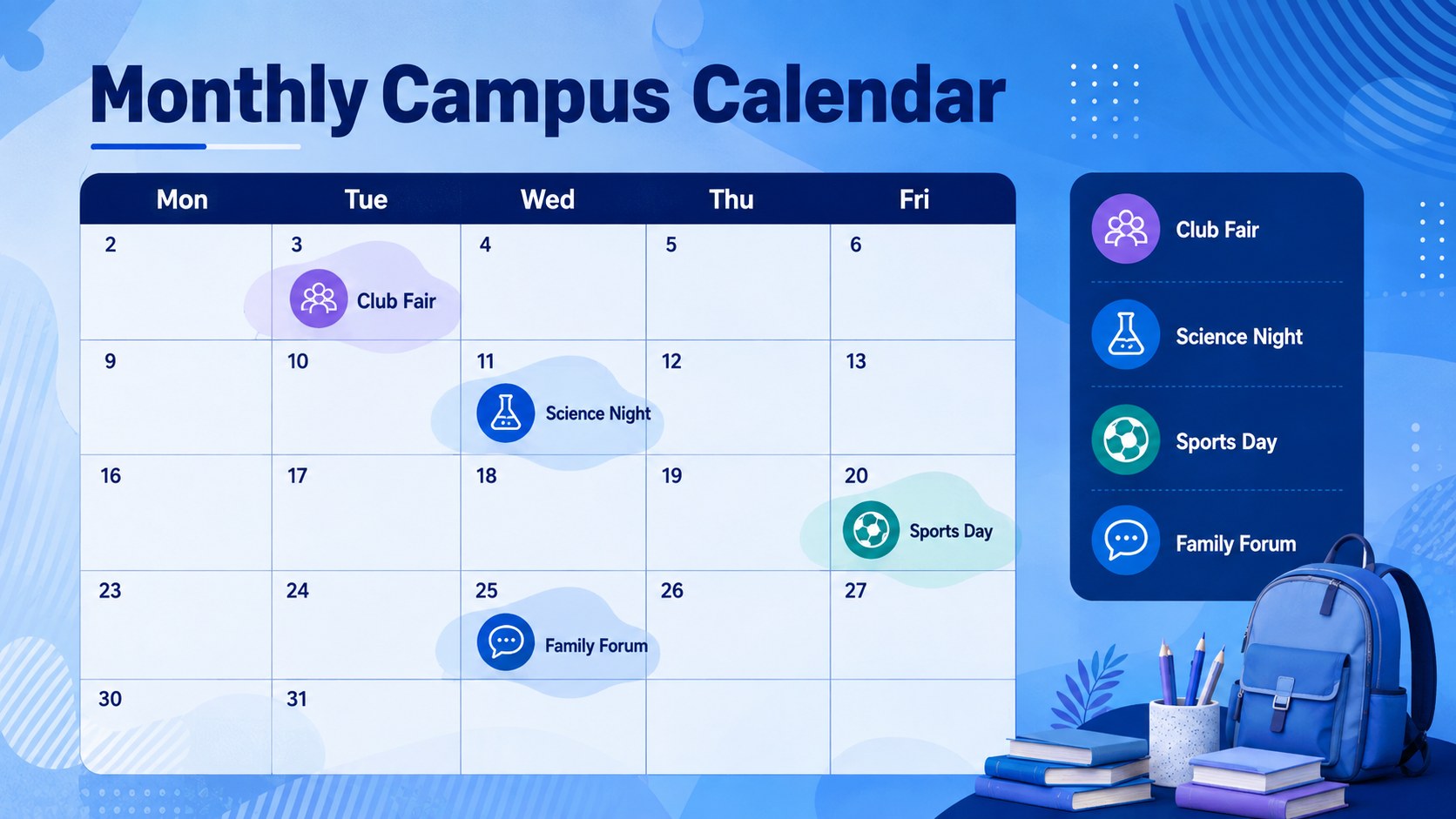
Plan and share campus dates with an editable School Calendar Bulletin Presentation featuring blue abstract layouts for PowerPoint and Google Slides.








Design notes
Keep students, families, and staff informed with a School Calendar Bulletin Presentation designed for clear, timely communication. Its vivid blue palette, fluid abstract forms, geometric accents, and dynamic layouts give routine announcements a polished visual rhythm without distracting from essential details.
The deck includes space for a monthly overview, important dates, event spotlights, reminders, club activities, registration details, deadlines, and contact information. Use it as an editable school calendar presentation for assemblies, classroom screens, staff meetings, or digital distribution. The layouts also work as school event announcement slides when you need to promote performances, sports fixtures, parent evenings, field trips, or community programs. Charts, timelines, calendars, image areas, and callout blocks can be adapted to match the amount of information you need to share.
Built for teachers, administrators, activity coordinators, student leaders, and school communications teams, this template is easy to personalize in PowerPoint or Google Slides. Replace the sample wording, adjust the blue color palette, add school photography, and reorganize sections for weekly or monthly updates. Subtle motion can be applied to key elements for an animated blue school newsletter, while the static layouts remain effective for printed handouts and exported PDF bulletins.
Perfect for: monthly campus event roundup; morning assembly announcements; parent information update; student club activity schedule; academic deadline briefing.
Frequently asked questions
Can I edit this presentation in PowerPoint and Google Slides? Yes. All text, colors, images, and layout elements can be edited in PowerPoint or Google Slides. Some animations or fonts may appear slightly different between the two platforms.
Practical details
Yes. All text, colors, images, and layout elements can be edited in PowerPoint or Google Slides. Some animations or fonts may appear slightly different between the two platforms.
Yes. Duplicate, remove, or rearrange date blocks to create weekly, monthly, or term-based schedules. You can also color-code events by department, audience, or activity type.
Replace the sample colors with your school palette and add approved logos, photographs, and fonts in your editing software. Keep strong contrast between text and the blue abstract backgrounds for readability.
Yes. Export the completed presentation as a PDF for email, printing, or posting on a school portal. Review any animated content first because motion effects will become static in the PDF.
Keep exploring
15Build stronger academic arguments with a college essay thesis builder featuring guided examples, revision prompts, and editable PowerPoint and Google Slides.
 15
15Build an engaging World UFO Day session with this flying saucer history lesson deck, featuring retro green-and-brown slides for PowerPoint and Google Slides.
 14
14Plan a memorable Lunar New Year campaign with the 2036 Dragon Year Celebration Theme, featuring bold red-and-yellow slides for lessons and events.
 15
15Build a thoughtful classroom discussion with this interfaith awareness lesson deck, featuring editable blue-and-white slides for PowerPoint and Google Slides.
 15
15Use this environmental awareness lesson deck to teach climate action through illustrated activities, discussion prompts, and ready-to-edit visuals.
 15
15Build playful lessons and party stories with a kid-friendly zombie celebration theme in purple, green and pastel blue for PowerPoint and Google Slides.
 15
15Build eerie lessons, campaigns, and story pitches with an undead survival scenario theme featuring editable slides for PowerPoint and Google Slides.
 16
16Turn environmental research into a clear story with a Watercolor Ecology Presentation Theme for PowerPoint and Google Slides in calming green and blue.