
 15
15presentation
College Essay Thesis Builder Slides
Build stronger academic arguments with a college essay thesis builder featuring guided examples, revision prompts, and editable PowerPoint and Google Slides.
Google SlidesPowerPoint
presentation · English
Teach watersheds, tributaries, and river flow with a River Basin Anatomy Classroom Infographic, customizable in PowerPoint and Google Slides.
Design notes
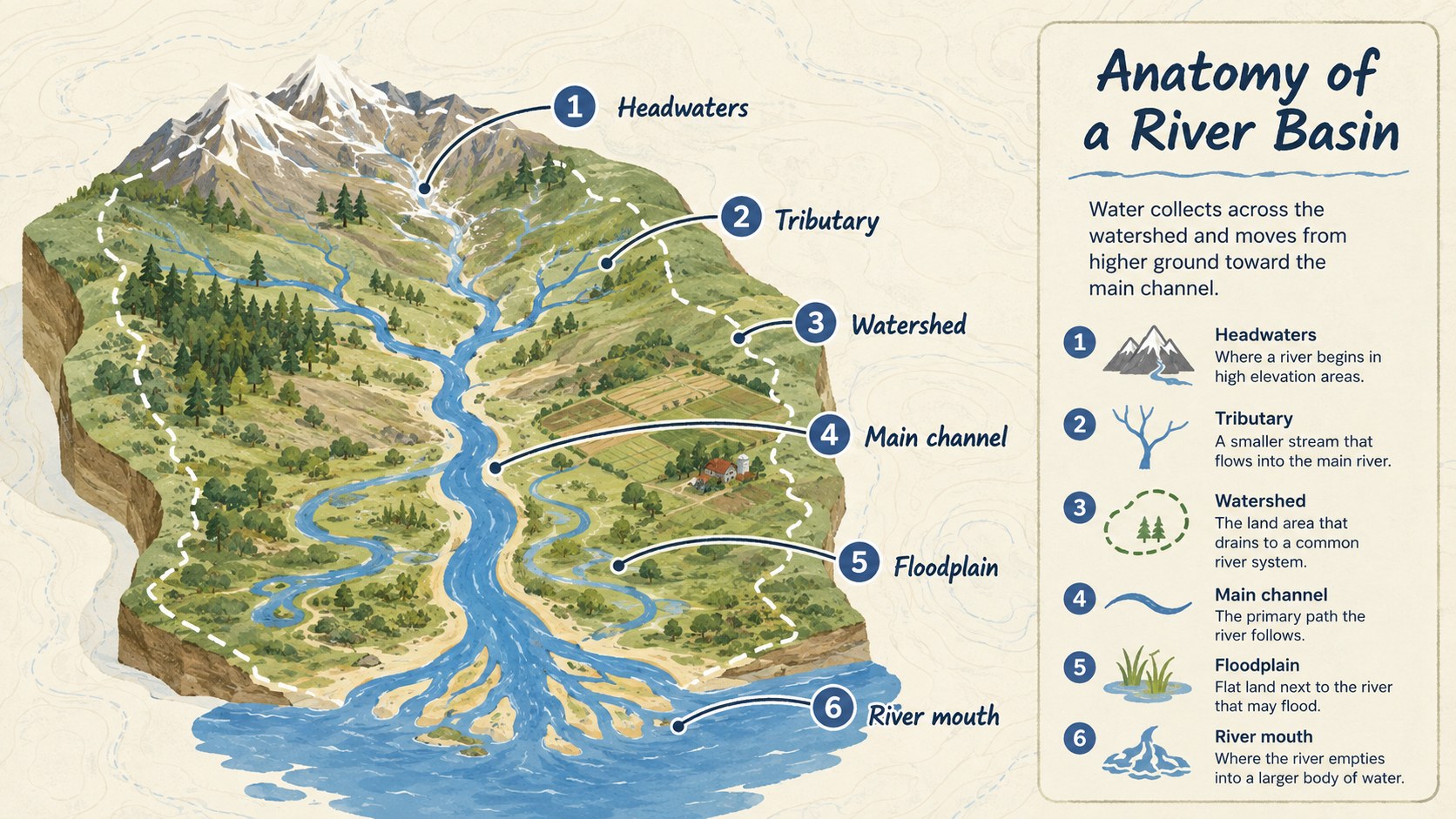
The River Basin Anatomy Classroom Infographic turns essential river geography into a clear visual sequence. Designed for quick comprehension, it identifies headwaters, tributaries, watersheds, channels, floodplains, and the river mouth through approachable illustrations and concise labels. A balanced palette of blue, green, brown, and beige keeps the natural theme engaging while maintaining strong classroom readability.
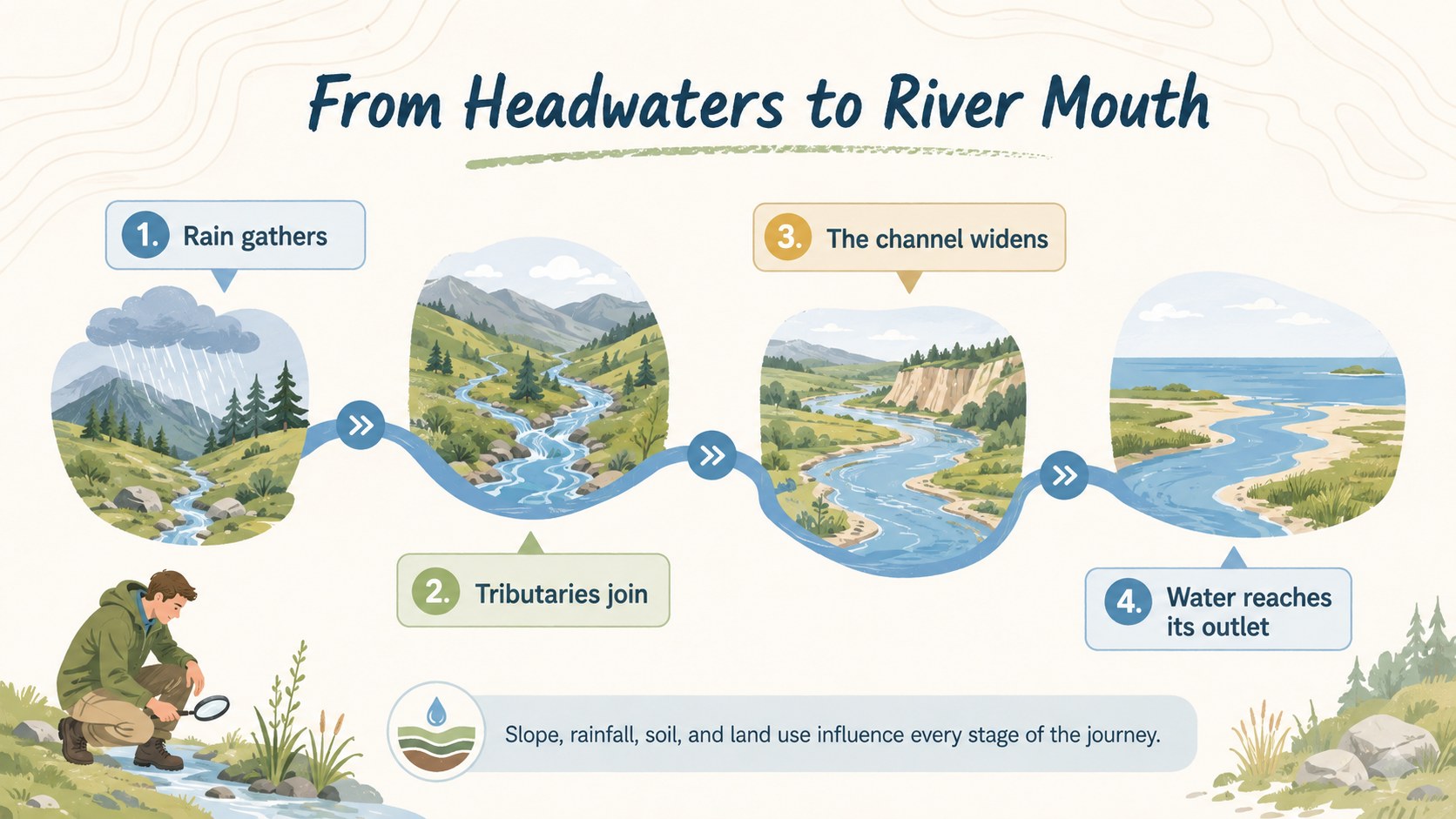
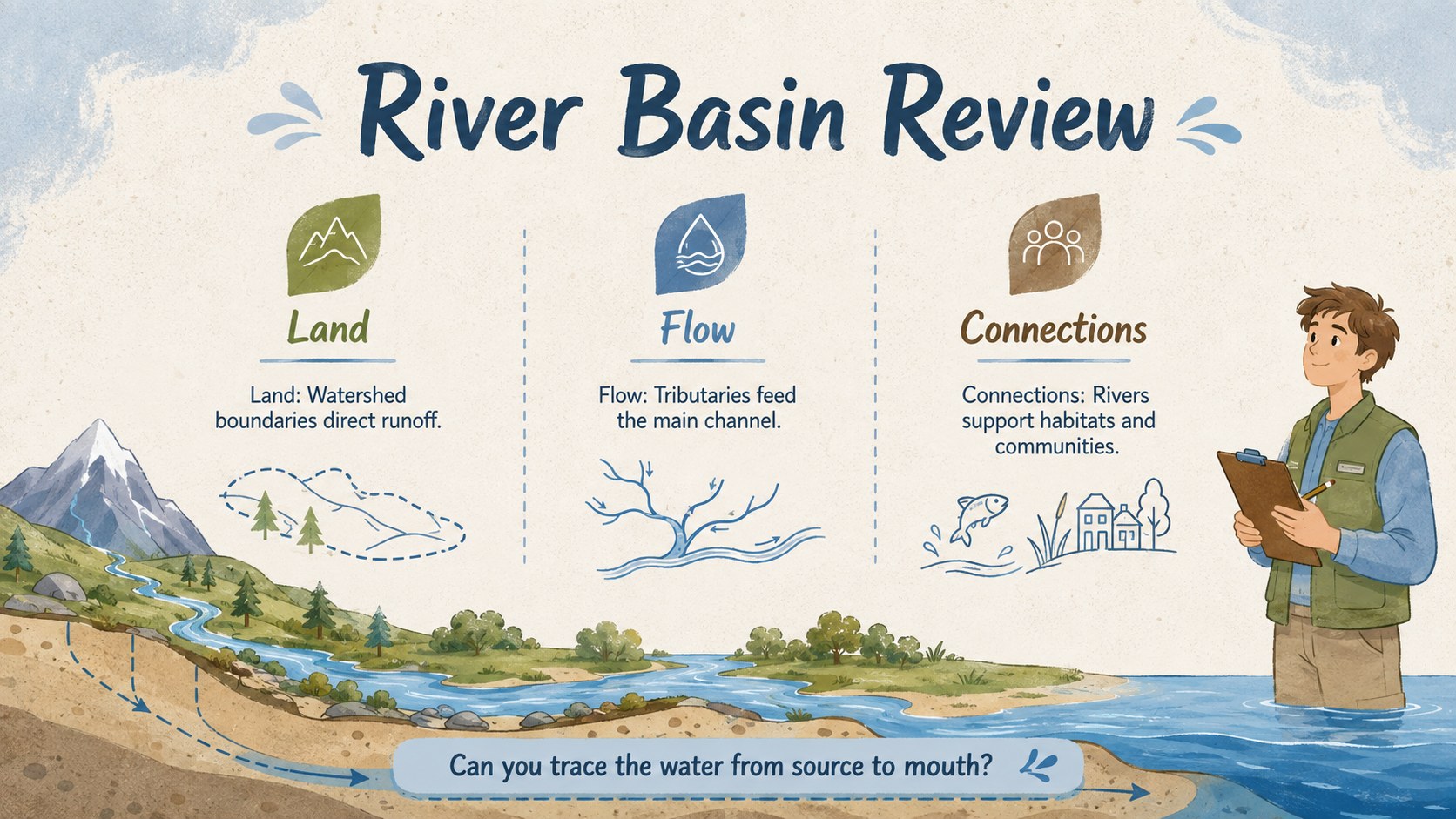
Inside, you will find a coordinated four-slide sequence covering river basin anatomy, the downstream journey, connections between land and water, and a concise review. Use it as a watershed diagram for students, a projected lesson aid, a printable handout, or a visual summary for independent study. The varied layouts provide space for definitions, directional arrows, process steps, maps, and environmental observations without overcrowding the page.
This river basin lesson visual is suited to geography and earth science teachers, students preparing reports, environmental education groups, and tutors creating revision materials. It also works as a geography infographic PowerPoint template for seminars, science fairs, homework presentations, and introductory watershed units. Every slide can be edited in PowerPoint or Google Slides, allowing you to replace labels, adjust colors, add local river examples, insert icons, and reorganize content for different grade levels. The illustrated style supports both screen presentation and classroom printing.
Perfect for: middle school geography lesson; watershed science project; river systems exam review; environmental education workshop; classroom geography handout.
Frequently asked questions
Can I edit the river labels and definitions? Yes. All headings, labels, arrows, and explanatory text can be updated for your curriculum, local river example, or preferred terminology.
Practical details
Yes. All headings, labels, arrows, and explanatory text can be updated for your curriculum, local river example, or preferred terminology.
The template is designed for PowerPoint and Google Slides. Layouts, colors, text, and illustrations can be adjusted in either platform.
Yes. You can export individual slides as PDF files and print them as lesson handouts or reference posters. Check your printer settings before printing to preserve the intended proportions.
Shorten the definitions, enlarge key labels, and focus on a few core features such as the source, tributary, main channel, and mouth. You can also replace technical notes with simple examples from a familiar river.
Keep exploring
15Build stronger academic arguments with a college essay thesis builder featuring guided examples, revision prompts, and editable PowerPoint and Google Slides.
 15
15Build an engaging World UFO Day session with this flying saucer history lesson deck, featuring retro green-and-brown slides for PowerPoint and Google Slides.
 14
14Plan a memorable Lunar New Year campaign with the 2036 Dragon Year Celebration Theme, featuring bold red-and-yellow slides for lessons and events.
 15
15Build a thoughtful classroom discussion with this interfaith awareness lesson deck, featuring editable blue-and-white slides for PowerPoint and Google Slides.
 15
15Use this environmental awareness lesson deck to teach climate action through illustrated activities, discussion prompts, and ready-to-edit visuals.
 15
15Build playful lessons and party stories with a kid-friendly zombie celebration theme in purple, green and pastel blue for PowerPoint and Google Slides.
 15
15Build eerie lessons, campaigns, and story pitches with an undead survival scenario theme featuring editable slides for PowerPoint and Google Slides.
 16
16Turn environmental research into a clear story with a Watercolor Ecology Presentation Theme for PowerPoint and Google Slides in calming green and blue.