
 15
15presentation
College Essay Thesis Builder Slides
Build stronger academic arguments with a college essay thesis builder featuring guided examples, revision prompts, and editable PowerPoint and Google Slides.
Google SlidesPowerPoint
document · English
Shape complex findings into a clear story with this research summary planning deck for PowerPoint and Google Slides, using vibrant, structured layouts.


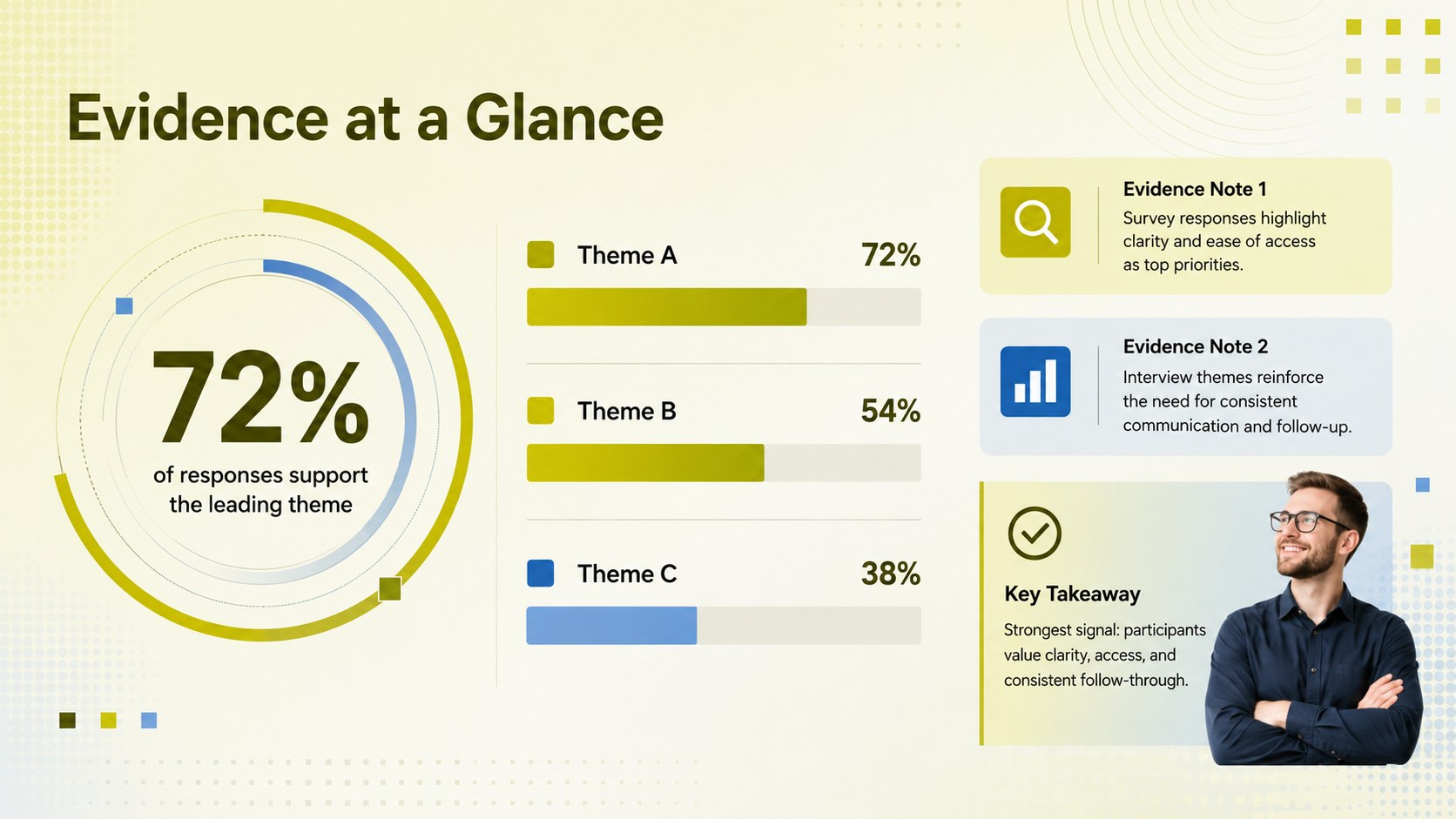
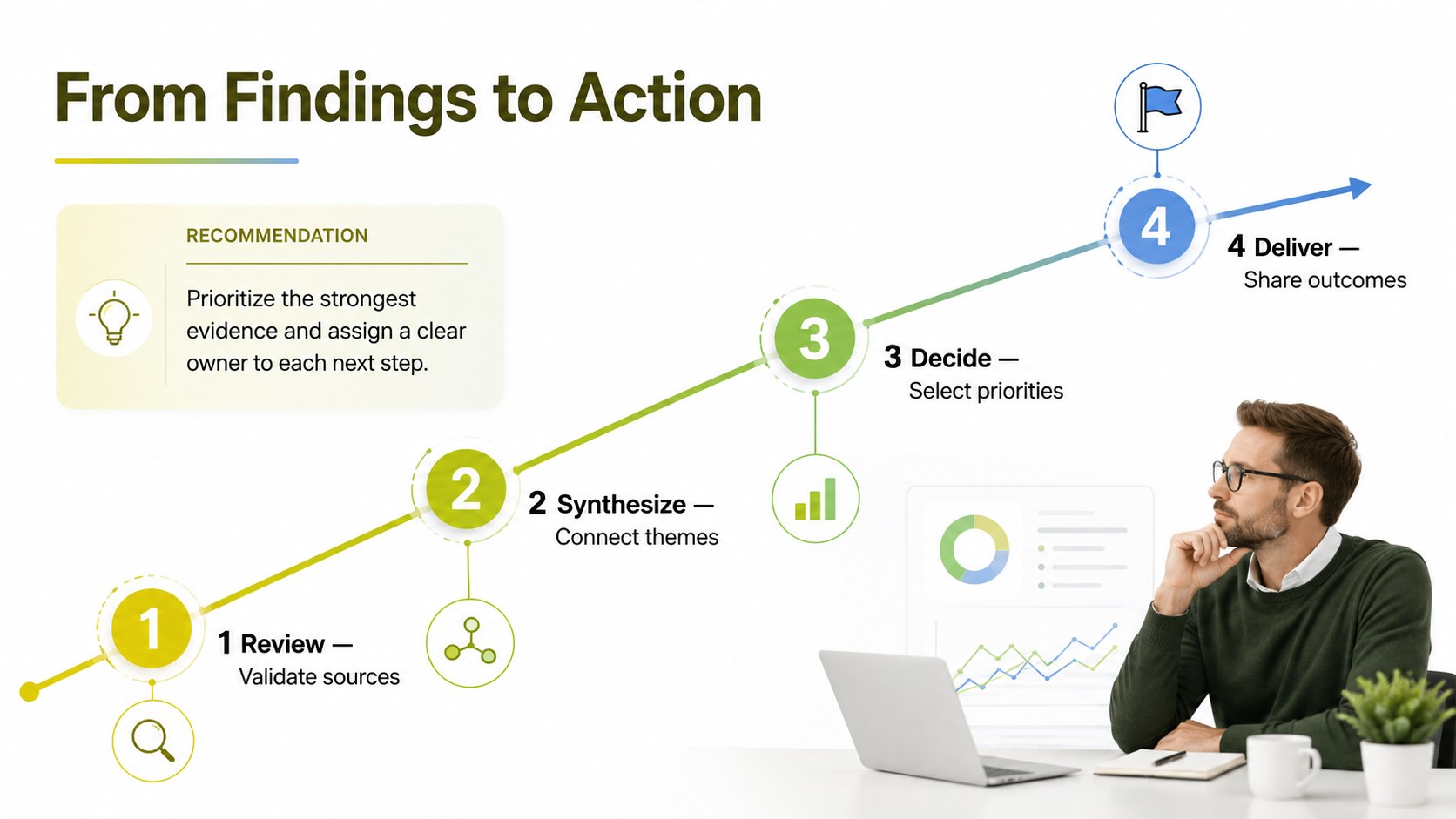
Design notes
Turn raw notes, source material, and early conclusions into a focused narrative with this research summary planning deck. Designed for PowerPoint and Google Slides, it provides a practical framework for explaining what a project investigates, why it matters, and what the evidence reveals. Bright yellow, green, and blue gradients give the presentation energy while clean typography and structured sections keep detailed information easy to follow.
The deck includes layouts for a research overview, guiding questions, objectives, methodology, key evidence, findings, and recommended next steps. Use the visual data areas to highlight statistics, compare themes, or condense lengthy reports into an accessible executive summary. A timeline and action-planning section also make it useful as a research project summary template for work that is still in progress.
This academic research planning deck suits university assignments, classroom projects, internal business studies, market analysis, and nonprofit program evaluations. Students can build a concise research findings presentation template for assessments or seminars, while analysts and project teams can adapt it for stakeholder reviews. Every slide is editable, allowing users to change colors, fonts, charts, headings, and section order without losing the cohesive visual system. The result is a flexible format for presenting research objectives and findings with clarity, consistency, and a polished modern style.
Perfect for: university research presentation; market research review; classroom project briefing; stakeholder findings update; nonprofit program evaluation.
Frequently asked questions
Can I edit this research deck in PowerPoint and Google Slides? Yes. The layouts, text, colors, charts, and graphic elements can be edited in both PowerPoint and Google Slides. Font availability may vary slightly between platforms.
Practical details
Yes. The layouts, text, colors, charts, and graphic elements can be edited in both PowerPoint and Google Slides. Font availability may vary slightly between platforms.
Yes. Replace the sample wording with your research question, methodology, evidence, and conclusions. You can also duplicate sections when a project requires additional sources or findings.
Update the theme colors to change the yellow, green, and blue accents throughout the deck. Maintain strong contrast between text and gradient areas so detailed findings remain readable.
Yes. The deck includes structured areas for statistics, comparisons, evidence summaries, and key takeaways. Existing placeholders can be replaced with native charts or imported visuals.
Keep exploring
15Build stronger academic arguments with a college essay thesis builder featuring guided examples, revision prompts, and editable PowerPoint and Google Slides.
 15
15Build an engaging World UFO Day session with this flying saucer history lesson deck, featuring retro green-and-brown slides for PowerPoint and Google Slides.
 14
14Plan a memorable Lunar New Year campaign with the 2036 Dragon Year Celebration Theme, featuring bold red-and-yellow slides for lessons and events.
 15
15Build a thoughtful classroom discussion with this interfaith awareness lesson deck, featuring editable blue-and-white slides for PowerPoint and Google Slides.
 15
15Use this environmental awareness lesson deck to teach climate action through illustrated activities, discussion prompts, and ready-to-edit visuals.
 15
15Build playful lessons and party stories with a kid-friendly zombie celebration theme in purple, green and pastel blue for PowerPoint and Google Slides.
 15
15Build eerie lessons, campaigns, and story pitches with an undead survival scenario theme featuring editable slides for PowerPoint and Google Slides.
 16
16Turn environmental research into a clear story with a Watercolor Ecology Presentation Theme for PowerPoint and Google Slides in calming green and blue.