
 15
15presentation
College Essay Thesis Builder Slides
Build stronger academic arguments with a college essay thesis builder featuring guided examples, revision prompts, and editable PowerPoint and Google Slides.
Google SlidesPowerPoint
presentation · English
Build clear civics lessons with a Government Models Comparison Deck featuring minimalist blue, green, violet, and white slides for PowerPoint and Google…
Design notes
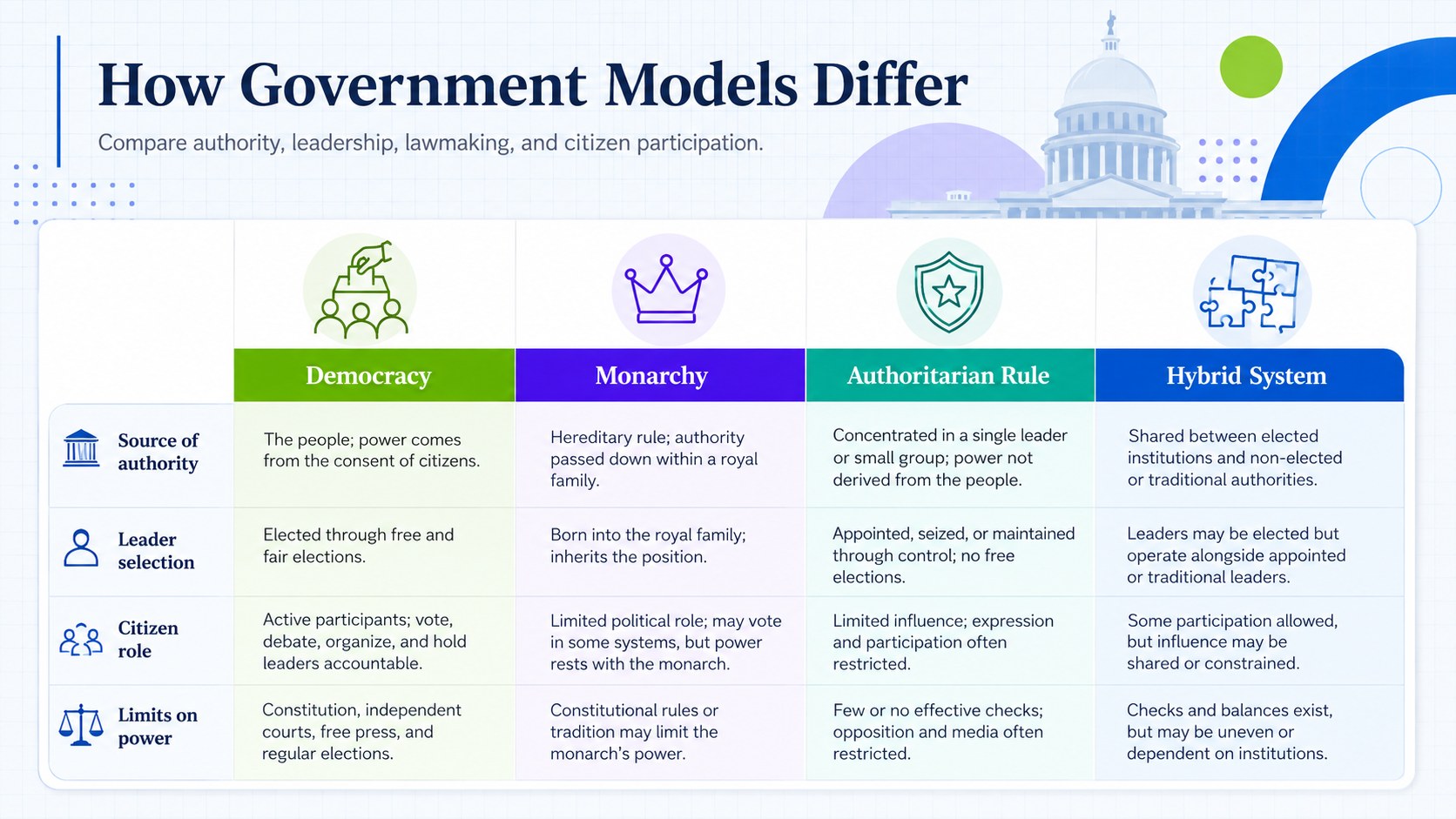
The Government Models Comparison Deck helps educators and students examine how societies distribute authority, select leaders, create laws, and involve citizens. Its minimalist blue, green, violet, and white design keeps detailed political concepts organized without making lessons feel crowded. Use it as a types of government lesson presentation or as a concise visual reference during classroom discussions.
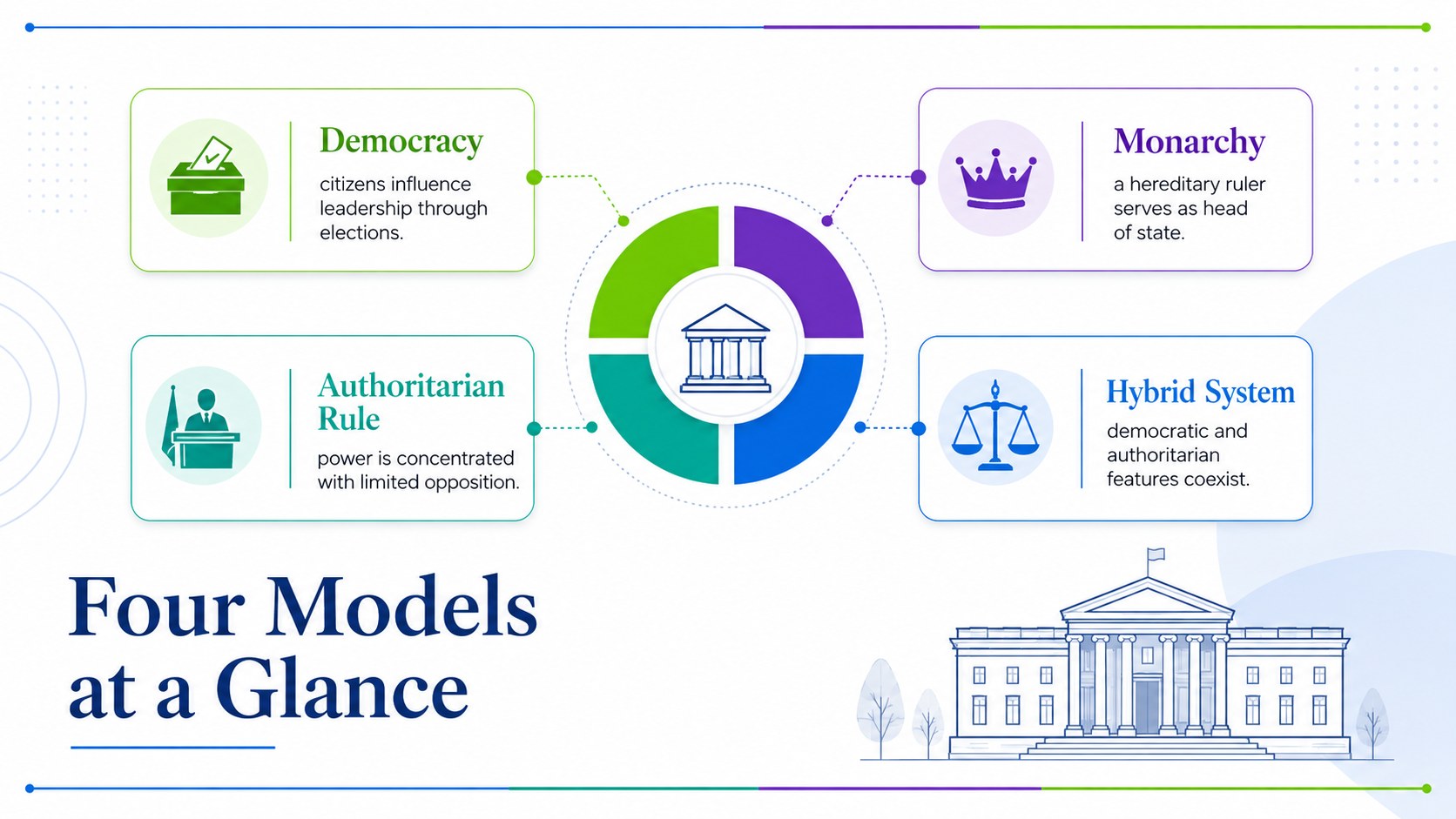
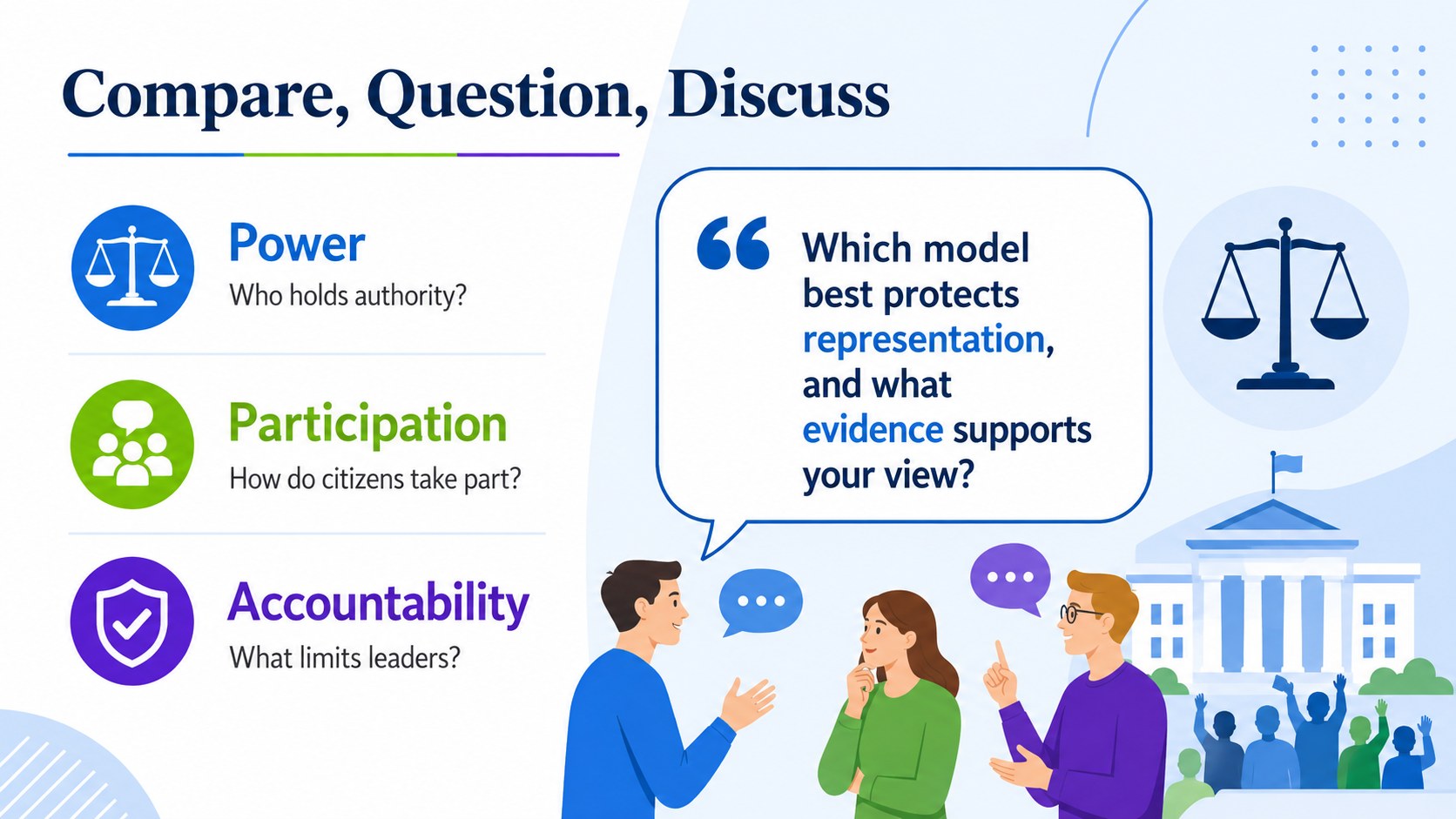
The deck includes an introductory cover, a side-by-side comparison matrix, focused profiles of major government models, and a summary slide with discussion prompts. Editable headings, diagrams, icons, labels, and examples make it easy to compare democracy, monarchy, authoritarian government, and other political structures. You can also adapt the framework for a democracy monarchy dictatorship comparison, a historical case study, or an analysis of government institutions in different countries.
Designed for social studies teachers, political science instructors, students, tutors, and public education teams, these civics government comparison slides work well for lectures, revision activities, reports, debates, and independent research. Add local examples, replace terminology, adjust the color emphasis, or reorganize the comparison criteria to match your curriculum. Every slide is ready to customize in PowerPoint and Google Slides, giving you a flexible foundation for explaining government models through accessible visual structure.
Perfect for: middle school civics lesson; high school government lecture; comparative politics seminar; social studies revision activity; classroom debate preparation.
Frequently asked questions
Can I edit the government categories and examples? Yes. All headings, descriptions, icons, diagrams, and comparison criteria can be changed to match your curriculum or chosen countries.
Practical details
Yes. All headings, descriptions, icons, diagrams, and comparison criteria can be changed to match your curriculum or chosen countries.
The deck is designed for PowerPoint and Google Slides. Layouts and text remain editable in both platforms.
Yes. You can replace the blue, green, violet, and white palette with school colors or a course-specific theme while preserving the minimalist layout.
Yes. Simplify the labels for introductory civics classes or add constitutional details, case studies, and political theory for advanced learners.
Keep exploring
15Build stronger academic arguments with a college essay thesis builder featuring guided examples, revision prompts, and editable PowerPoint and Google Slides.
 15
15Build an engaging World UFO Day session with this flying saucer history lesson deck, featuring retro green-and-brown slides for PowerPoint and Google Slides.
 14
14Plan a memorable Lunar New Year campaign with the 2036 Dragon Year Celebration Theme, featuring bold red-and-yellow slides for lessons and events.
 15
15Build a thoughtful classroom discussion with this interfaith awareness lesson deck, featuring editable blue-and-white slides for PowerPoint and Google Slides.
 15
15Use this environmental awareness lesson deck to teach climate action through illustrated activities, discussion prompts, and ready-to-edit visuals.
 15
15Build playful lessons and party stories with a kid-friendly zombie celebration theme in purple, green and pastel blue for PowerPoint and Google Slides.
 15
15Build eerie lessons, campaigns, and story pitches with an undead survival scenario theme featuring editable slides for PowerPoint and Google Slides.
 16
16Turn environmental research into a clear story with a Watercolor Ecology Presentation Theme for PowerPoint and Google Slides in calming green and blue.