
 15
15presentation
College Essay Thesis Builder Slides
Build stronger academic arguments with a college essay thesis builder featuring guided examples, revision prompts, and editable PowerPoint and Google Slides.
Google SlidesPowerPoint
presentation · English
Teach space science with the Comets and Meteors Classroom Astronomy Deck, a dark, minimal lesson for PowerPoint and Google Slides.
Design notes
The Comets and Meteors Classroom Astronomy Deck turns a complex space science topic into a focused visual lesson. Its black backgrounds, vivid orange accents, geometric details, and minimal layouts create the atmosphere of a night-sky observatory while keeping scientific explanations easy to follow. Every slide can be edited in PowerPoint or Google Slides.
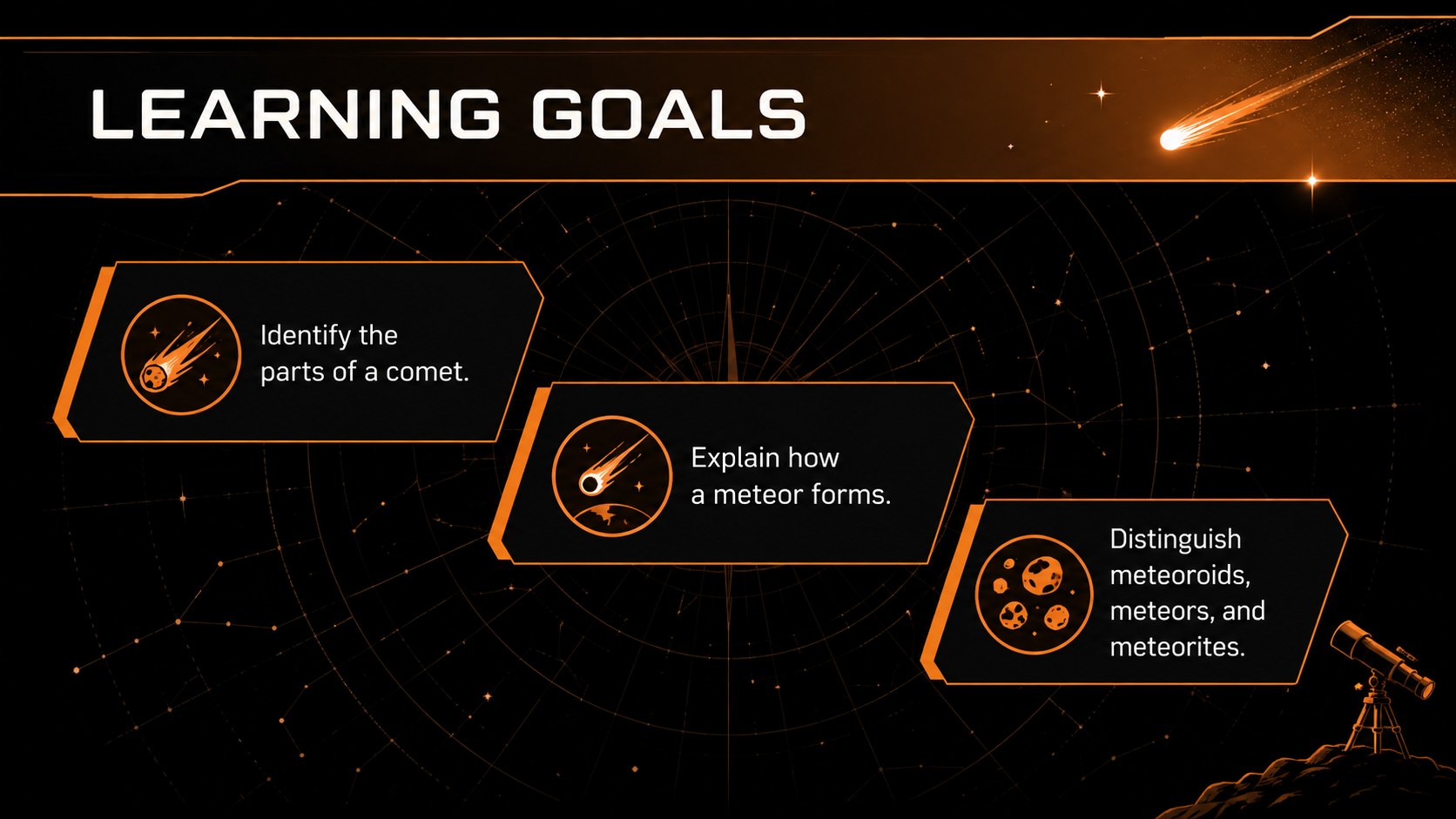
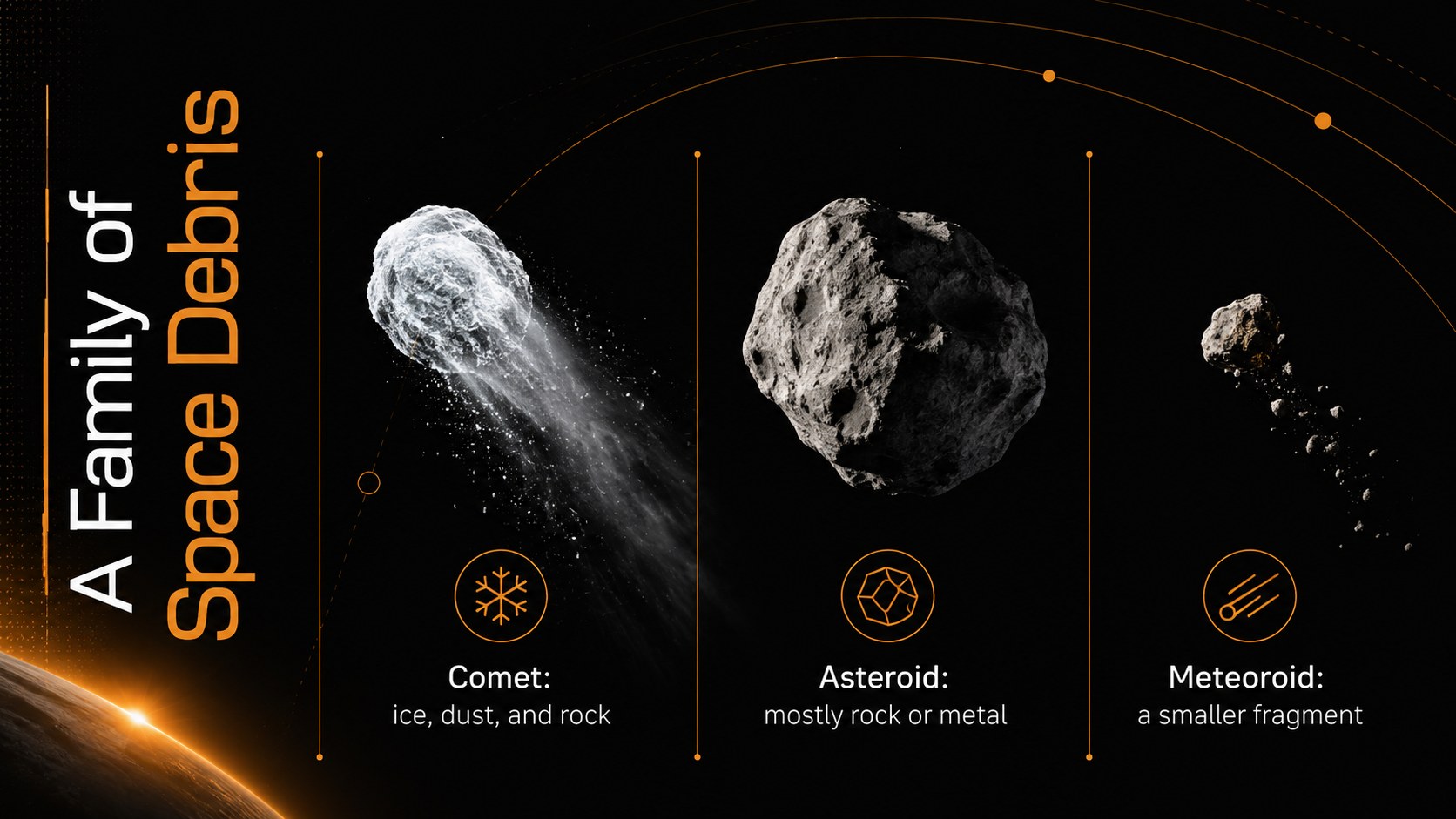
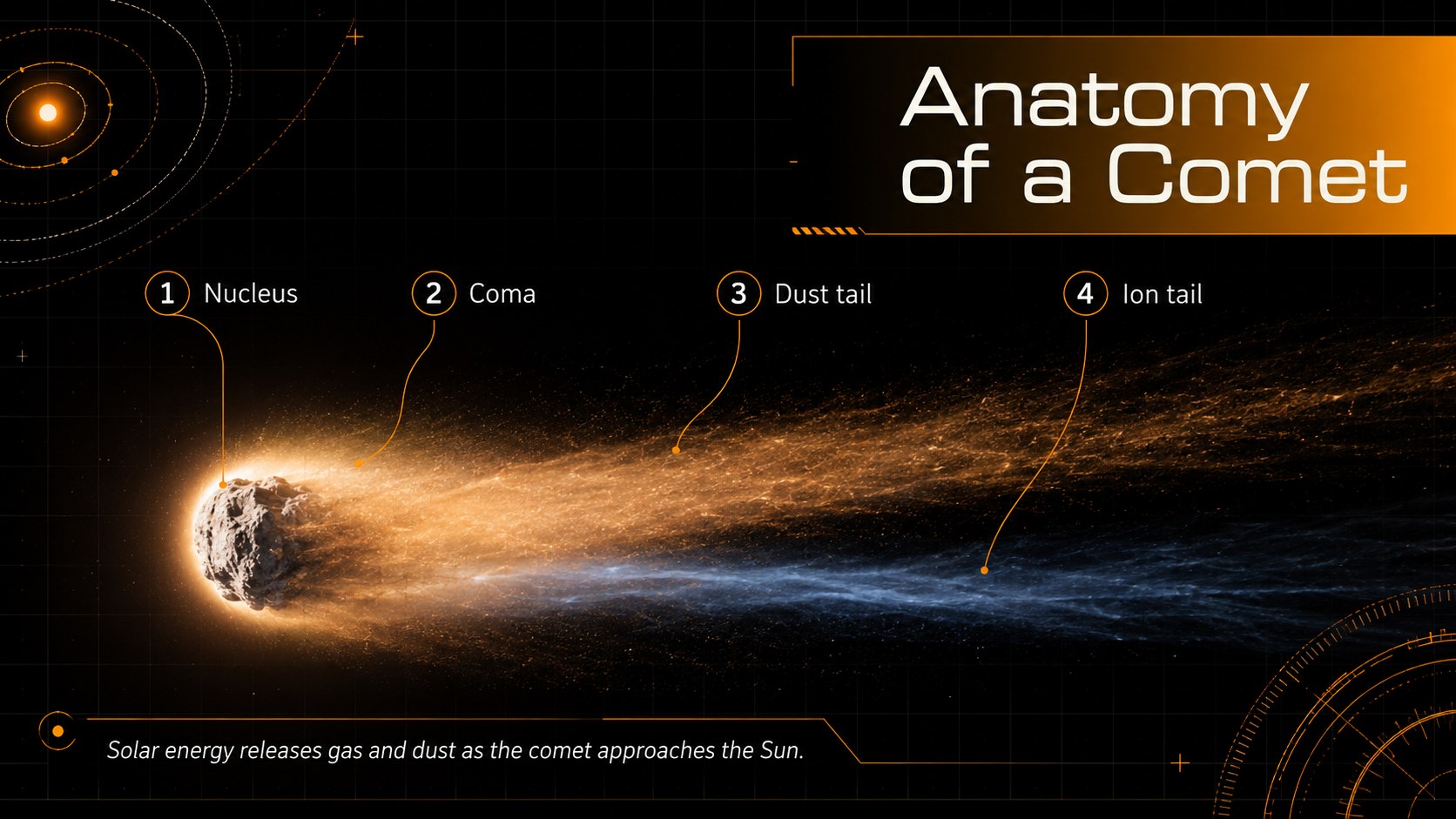
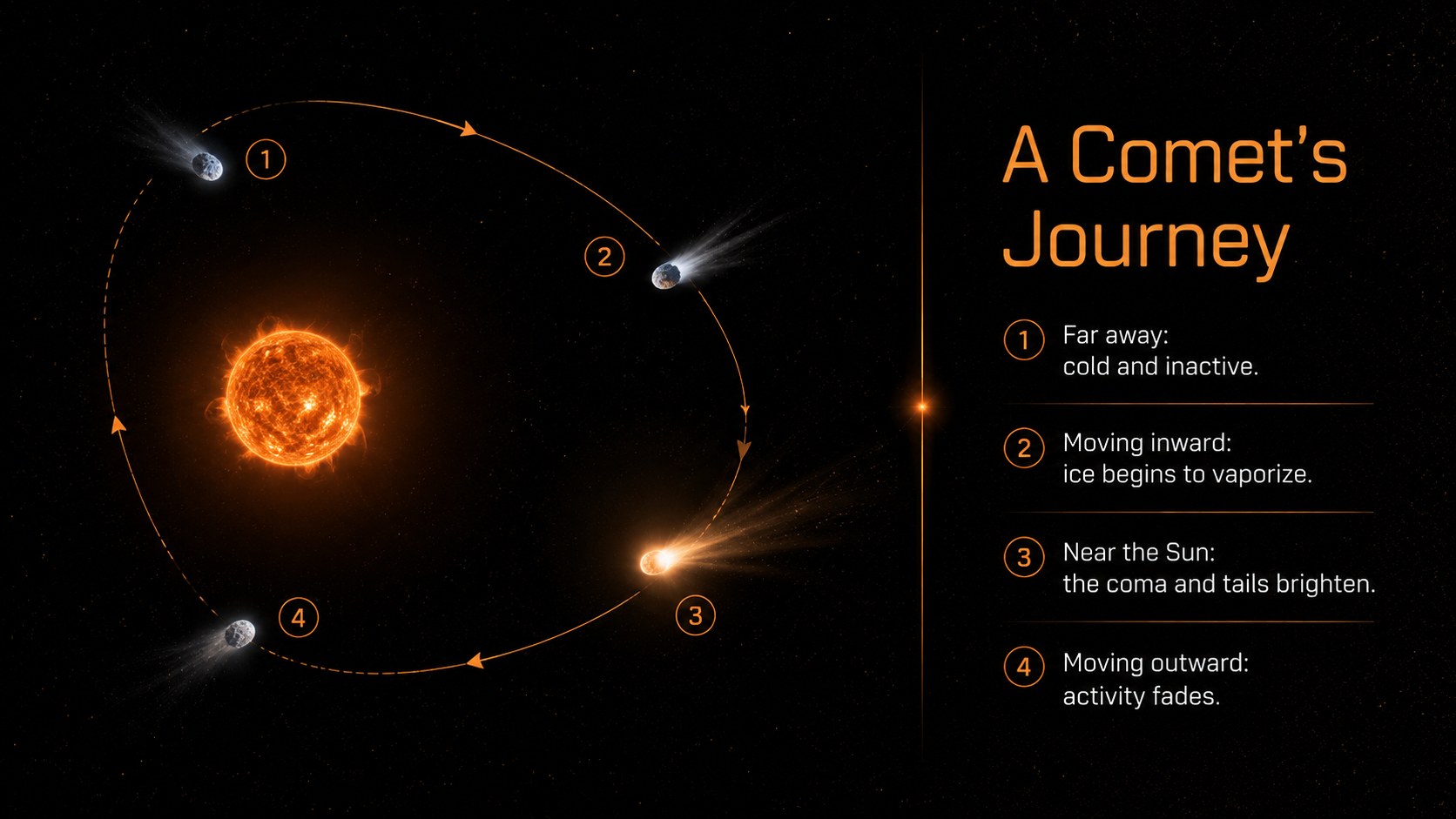
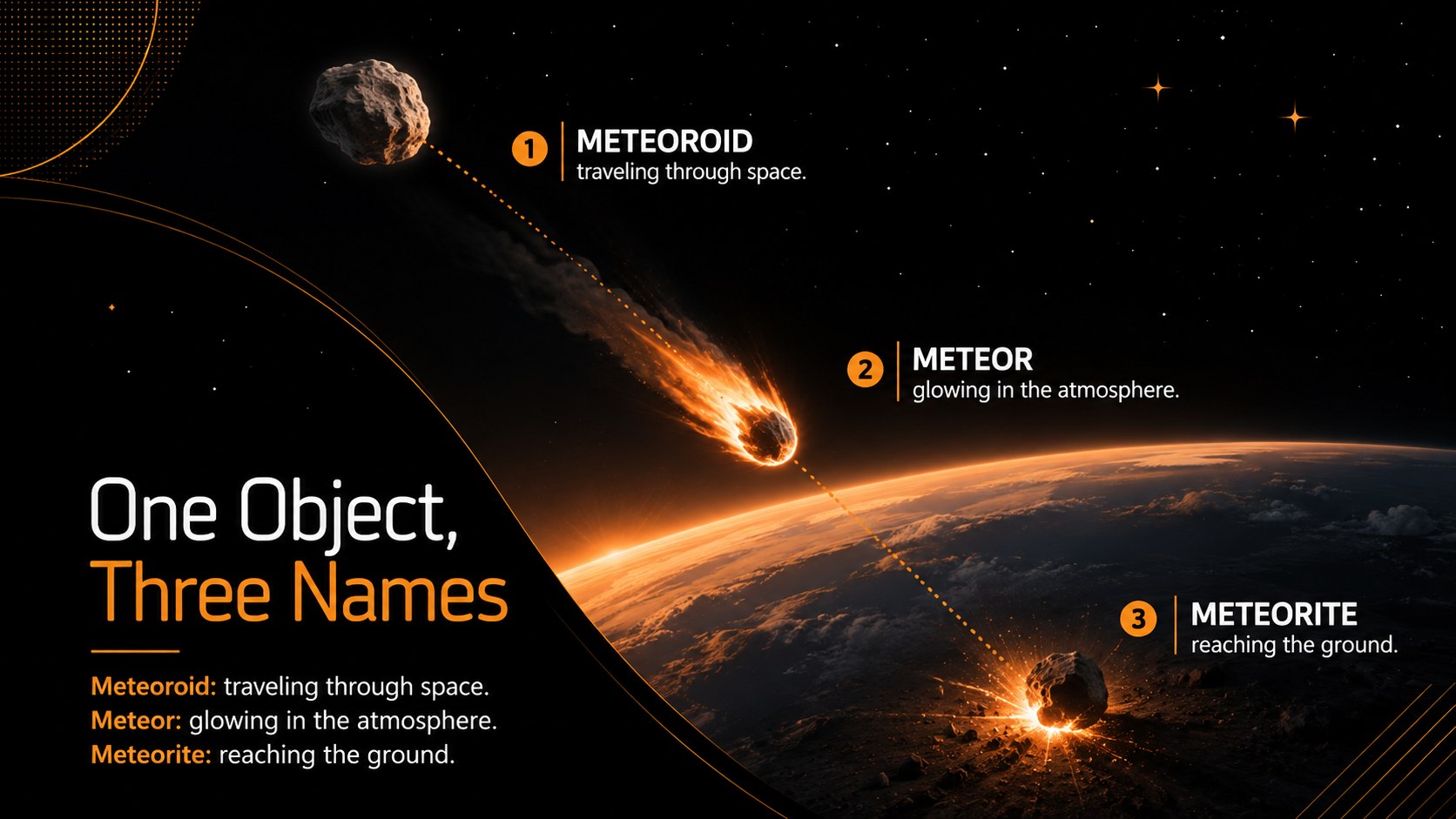
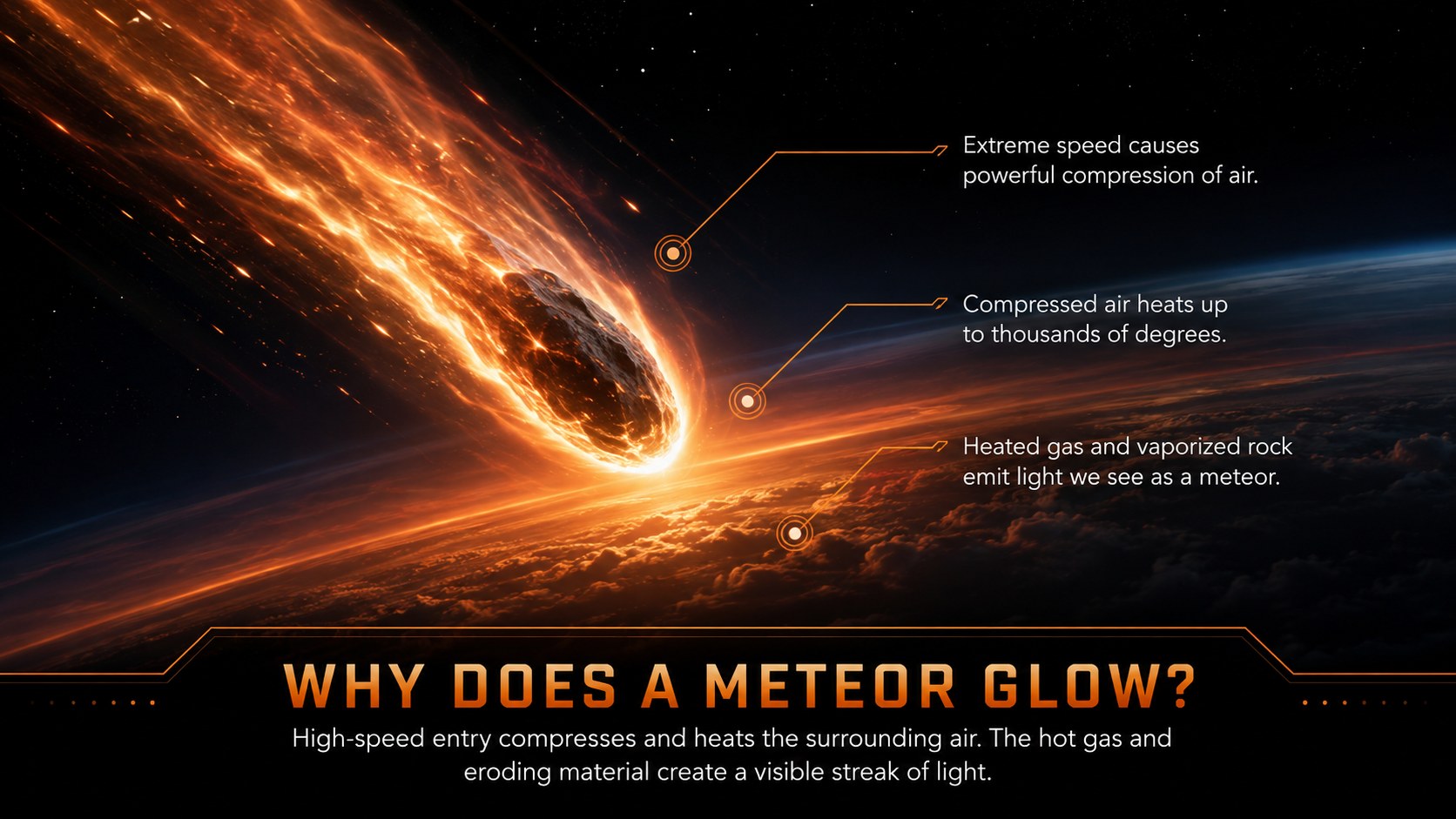
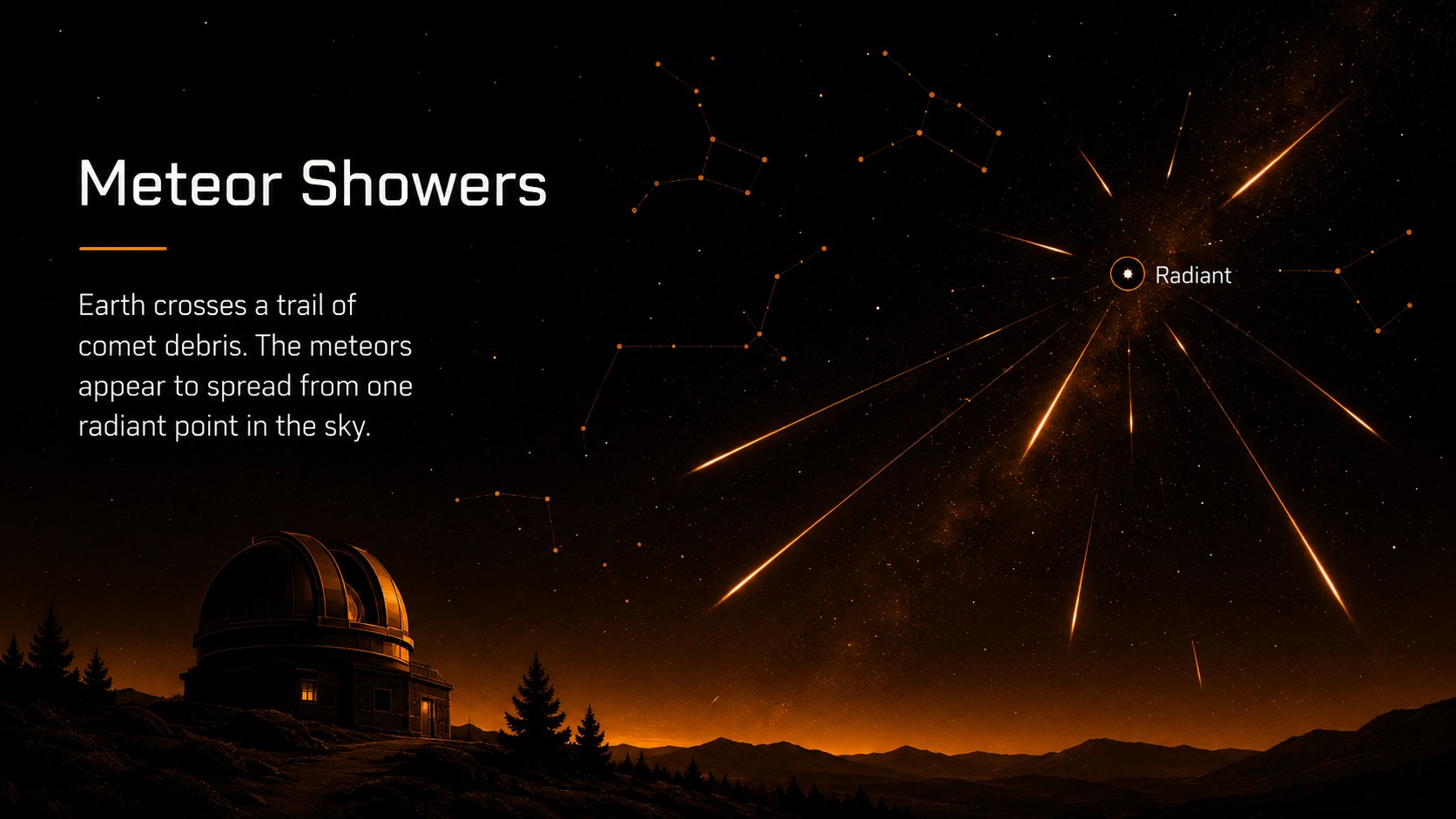
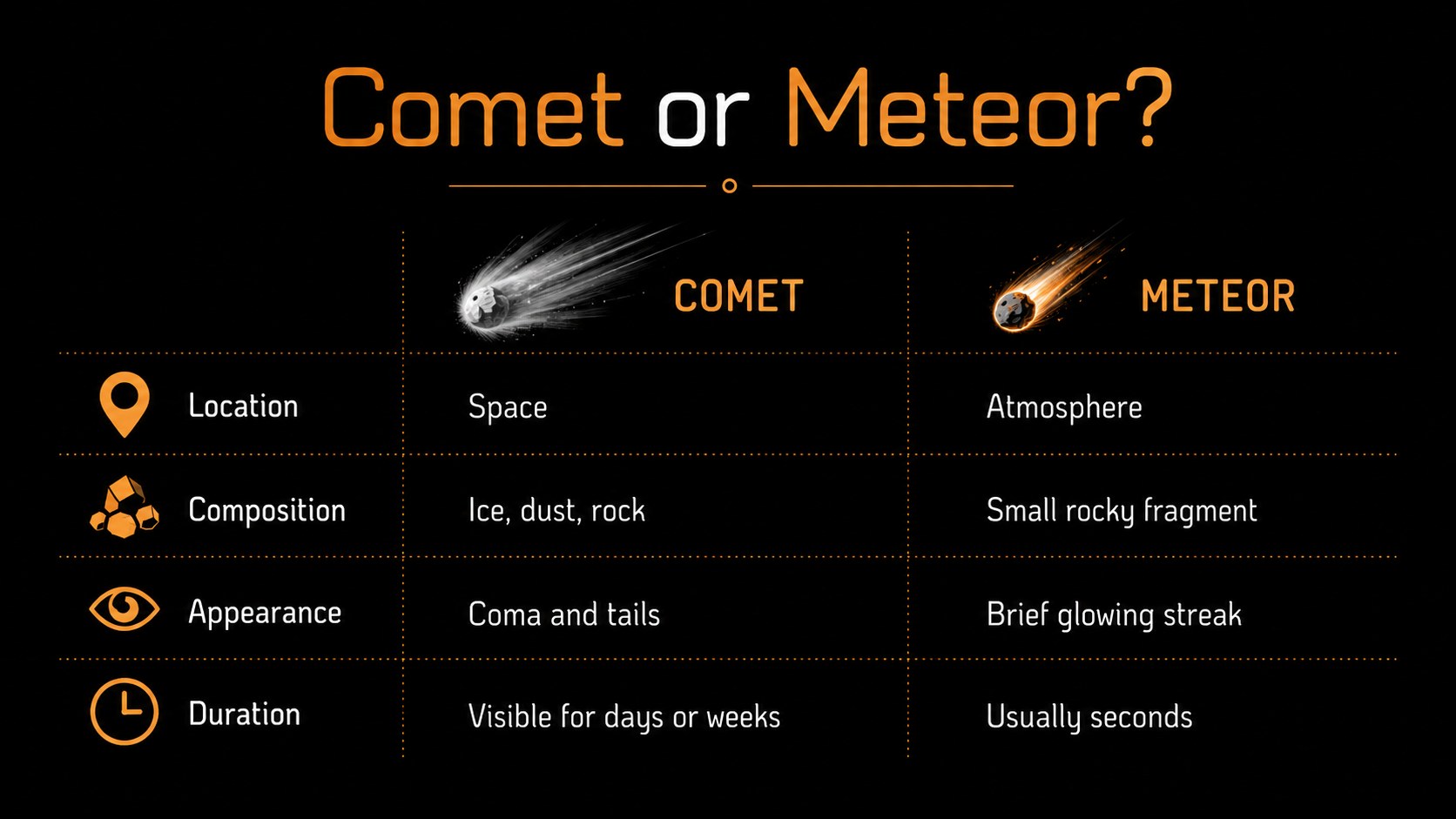
Inside, educators will find layouts for learning objectives, comet anatomy, orbital paths, meteoroid terminology, atmospheric entry, meteor showers, impact evidence, observation activities, vocabulary, and review questions. Comparison tables and process diagrams help students distinguish comets, asteroids, meteoroids, meteors, and meteorites without crowding the screen. Use it as a middle school comet and meteor lesson, a meteor shower classroom presentation, or an asteroid comet meteor comparison deck.
The deck is designed for middle school science teachers, astronomy clubs, homeschool lessons, and introductory space units. Replace the sample wording, add local curriculum standards, adjust diagrams, or insert class data while preserving the polished visual system. Ready-made layouts also support quick warm-ups, group discussion, independent note-taking, and end-of-lesson assessment. The restrained dark palette works especially well for projected classroom instruction, while the orange highlights direct attention to definitions, sequences, and key evidence.
Perfect for: middle school astronomy lesson; meteor shower classroom discussion; comet anatomy review; space science vocabulary activity; astronomy club workshop.
Frequently asked questions
Can I edit the diagrams and lesson text? Yes. The text, shapes, labels, colors, and diagram elements can be adjusted to match your curriculum, terminology, and lesson length.
Practical details
Yes. The text, shapes, labels, colors, and diagram elements can be adjusted to match your curriculum, terminology, and lesson length.
The deck is designed for Microsoft PowerPoint and Google Slides. Formatting may vary slightly by platform, so review animations and font substitutions before presenting.
Yes. Simplify the definitions for younger learners or add orbital data, composition details, and discussion prompts for more advanced classes.
Individual slides can be exported as PDFs and used as reference sheets or activity pages. For economical printing, consider replacing the black backgrounds with white while retaining orange highlights.
Keep exploring
15Build stronger academic arguments with a college essay thesis builder featuring guided examples, revision prompts, and editable PowerPoint and Google Slides.
 15
15Build an engaging World UFO Day session with this flying saucer history lesson deck, featuring retro green-and-brown slides for PowerPoint and Google Slides.
 14
14Plan a memorable Lunar New Year campaign with the 2036 Dragon Year Celebration Theme, featuring bold red-and-yellow slides for lessons and events.
 15
15Build a thoughtful classroom discussion with this interfaith awareness lesson deck, featuring editable blue-and-white slides for PowerPoint and Google Slides.
 15
15Use this environmental awareness lesson deck to teach climate action through illustrated activities, discussion prompts, and ready-to-edit visuals.
 15
15Build playful lessons and party stories with a kid-friendly zombie celebration theme in purple, green and pastel blue for PowerPoint and Google Slides.
 15
15Build eerie lessons, campaigns, and story pitches with an undead survival scenario theme featuring editable slides for PowerPoint and Google Slides.
 16
16Turn environmental research into a clear story with a Watercolor Ecology Presentation Theme for PowerPoint and Google Slides in calming green and blue.