
 15
15presentation
College Essay Thesis Builder Slides
Build stronger academic arguments with a college essay thesis builder featuring guided examples, revision prompts, and editable PowerPoint and Google Slides.
Google SlidesPowerPoint
presentation · English
Build a calmer school week with the Colorful Class Schedule Planner, an editable yellow timetable for lessons, study blocks, activities, and deadlines.
Design notes
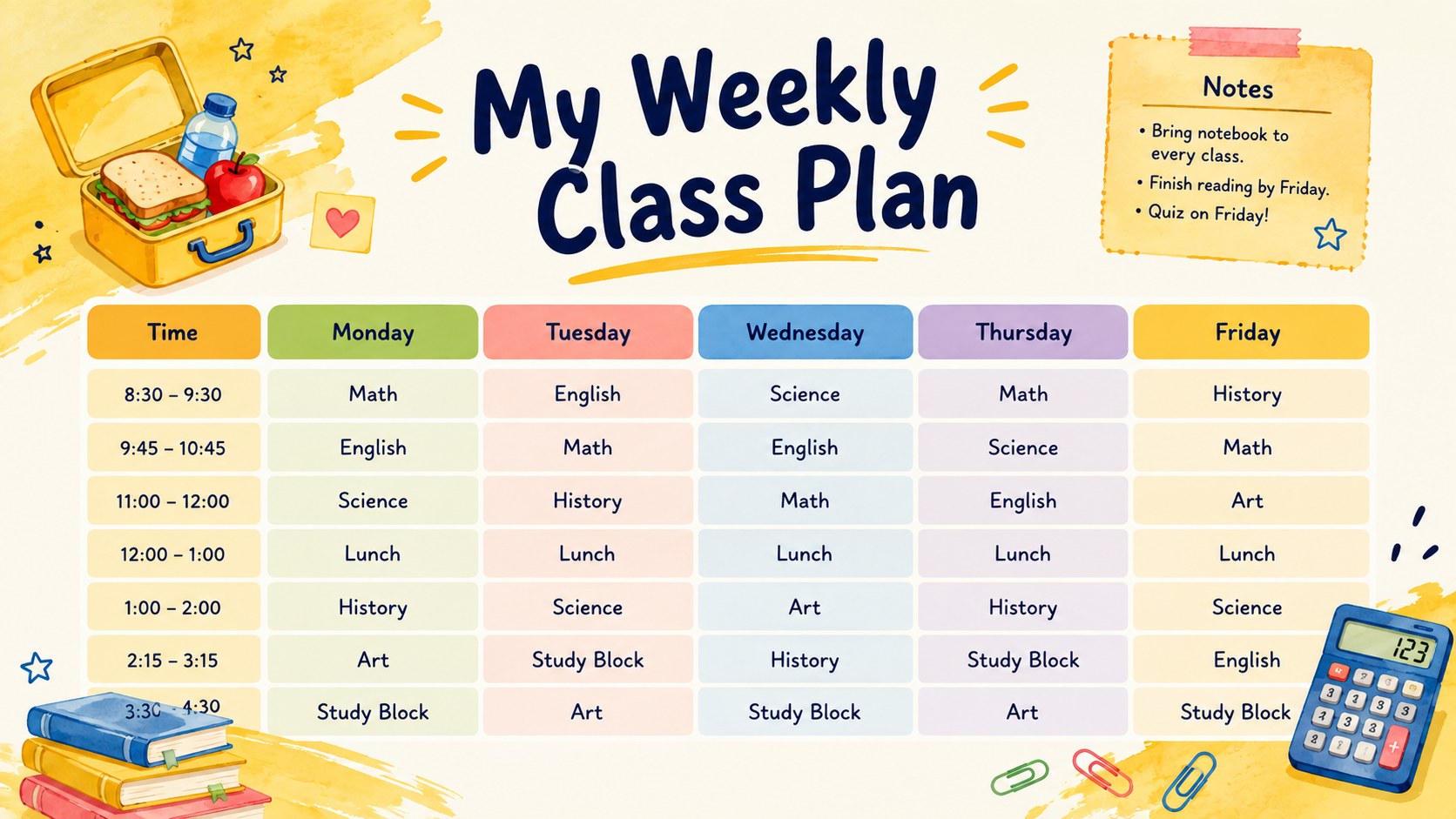
Bring structure to a busy academic week with the colorful class schedule planner, a cheerful organization tool for mapping lessons, study periods, breaks, clubs, and important reminders. Bright yellow accents, playful watercolor illustrations, and clearly separated time blocks make each page welcoming without sacrificing readability.
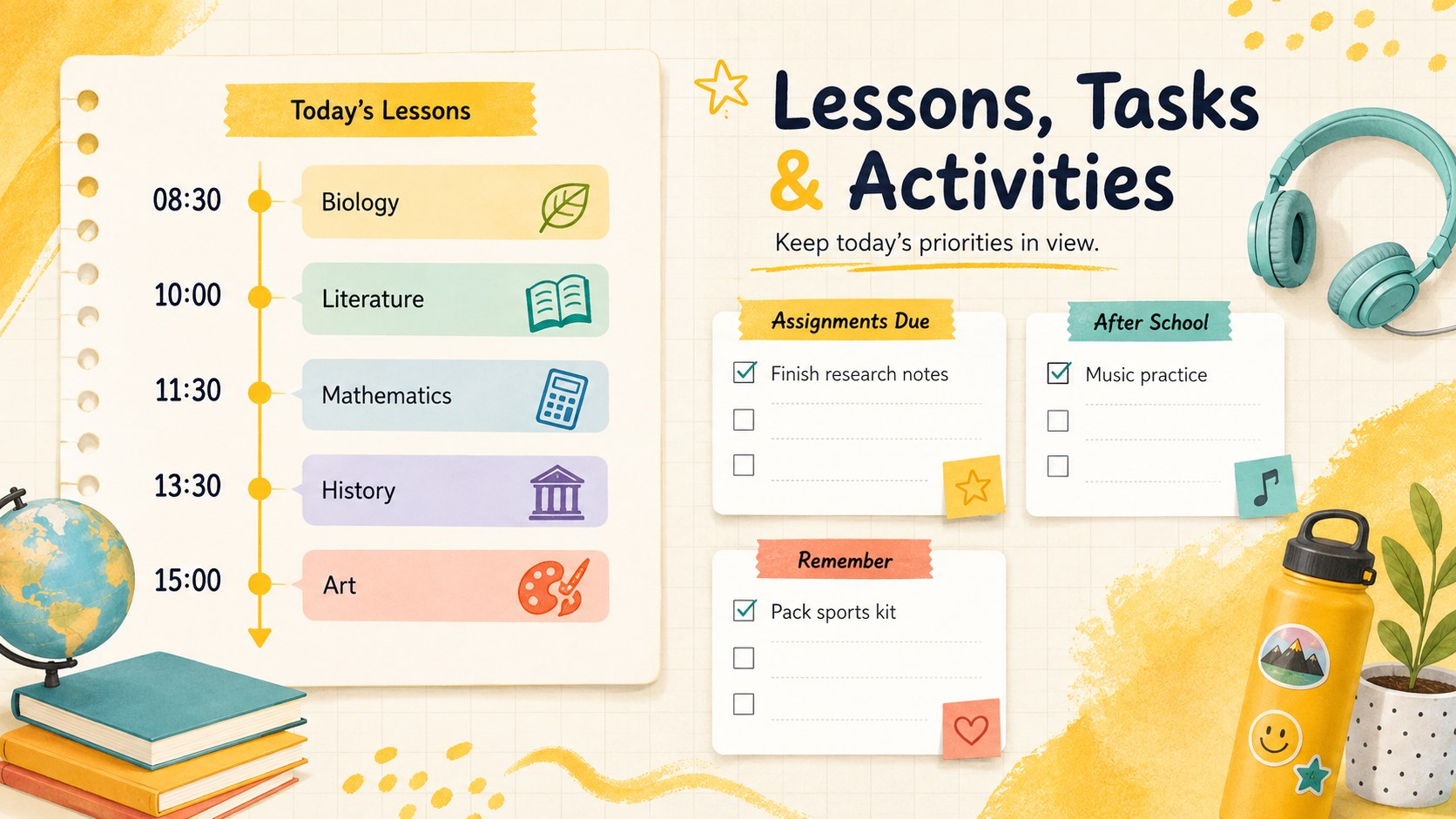
The set includes a weekly class overview, a focused daily lesson organizer, and an assignment and activity tracker. Use the editable weekly class schedule template to add course names, room numbers, instructors, deadlines, or recurring routines. Each layout can be adjusted in PowerPoint or Google Slides, allowing you to change colors, fonts, labels, and time slots for different age groups or school programs.
This yellow school timetable slide set is designed for students creating a dependable routine, teachers coordinating classroom periods, and families planning homework alongside extracurricular commitments. It also works as a teacher lesson schedule organizer for tutoring sessions, rotating subjects, revision weeks, or homeschool learning. Print individual pages for a desk or binder, display the schedule in class, or keep an editable digital copy close at hand. The friendly illustrated style gives practical planning a light, upbeat feel while leaving enough space for real schedules and notes.
Perfect for: weekly student lesson planning; teacher classroom scheduling; homeschool routine organization; after-school activity tracking; exam revision week planning.
Frequently asked questions
Can I edit this planner in PowerPoint and Google Slides? Yes. All text, time labels, colors, and schedule blocks can be customized in PowerPoint or Google Slides. You can also duplicate pages to create separate schedules for multiple weeks or classes.
Practical details
Yes. All text, time labels, colors, and schedule blocks can be customized in PowerPoint or Google Slides. You can also duplicate pages to create separate schedules for multiple weeks or classes.
Replace the sample subjects and adjust the time slots to match your daily routine. Rows can be duplicated, removed, or relabeled for shorter periods, rotating classes, lunch breaks, and extracurricular activities.
Yes. Export the finished pages as PDF files from PowerPoint or Google Slides, then choose your preferred paper size in the print settings. Review the print preview first if you need margins for a binder or classroom noticeboard.
Yes. The background accents, timetable cells, headings, and illustrated details can be recolored. Keep strong contrast between labels and schedule blocks so the planner remains easy to read.
Keep exploring
15Build stronger academic arguments with a college essay thesis builder featuring guided examples, revision prompts, and editable PowerPoint and Google Slides.
 15
15Build an engaging World UFO Day session with this flying saucer history lesson deck, featuring retro green-and-brown slides for PowerPoint and Google Slides.
 14
14Plan a memorable Lunar New Year campaign with the 2036 Dragon Year Celebration Theme, featuring bold red-and-yellow slides for lessons and events.
 15
15Build a thoughtful classroom discussion with this interfaith awareness lesson deck, featuring editable blue-and-white slides for PowerPoint and Google Slides.
 15
15Use this environmental awareness lesson deck to teach climate action through illustrated activities, discussion prompts, and ready-to-edit visuals.
 15
15Build playful lessons and party stories with a kid-friendly zombie celebration theme in purple, green and pastel blue for PowerPoint and Google Slides.
 15
15Build eerie lessons, campaigns, and story pitches with an undead survival scenario theme featuring editable slides for PowerPoint and Google Slides.
 16
16Turn environmental research into a clear story with a Watercolor Ecology Presentation Theme for PowerPoint and Google Slides in calming green and blue.