
 15
15presentation
College Essay Thesis Builder Slides
Build stronger academic arguments with a college essay thesis builder featuring guided examples, revision prompts, and editable PowerPoint and Google Slides.
Google SlidesPowerPoint
spreadsheet · English
Use this campus expense organizer to track tuition, rent, meals, and extras in Excel or Google Sheets with a colorful, editable, clear semester view.
Design notes
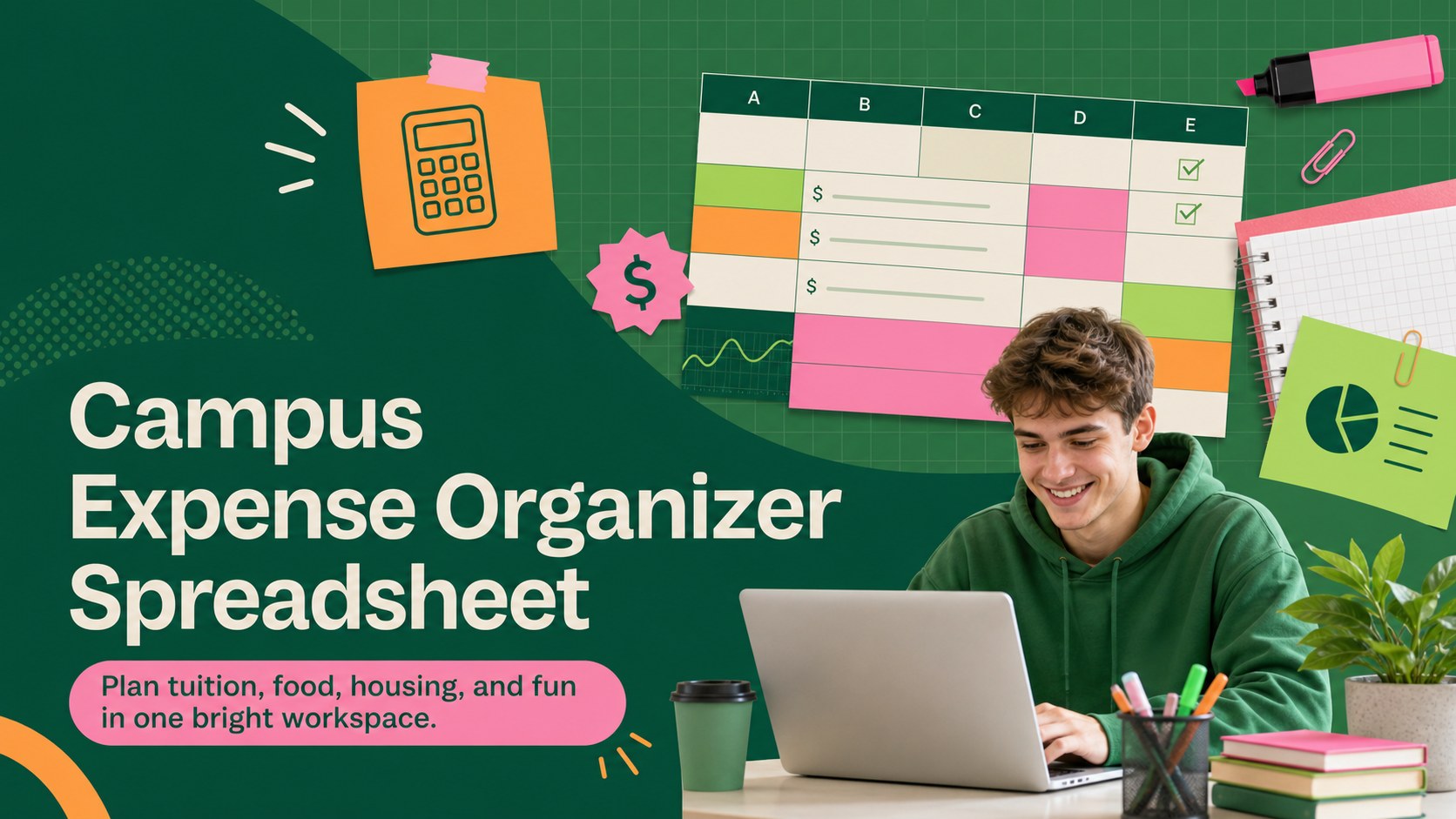
Bring everyday student finances into focus with the Campus Expense Organizer Spreadsheet. Designed for university and college life, this colorful workbook gives tuition, housing, groceries, transport, textbooks, subscriptions, and social spending a clear place. The lively green, pink, and orange palette adds energy without making the financial details difficult to scan.
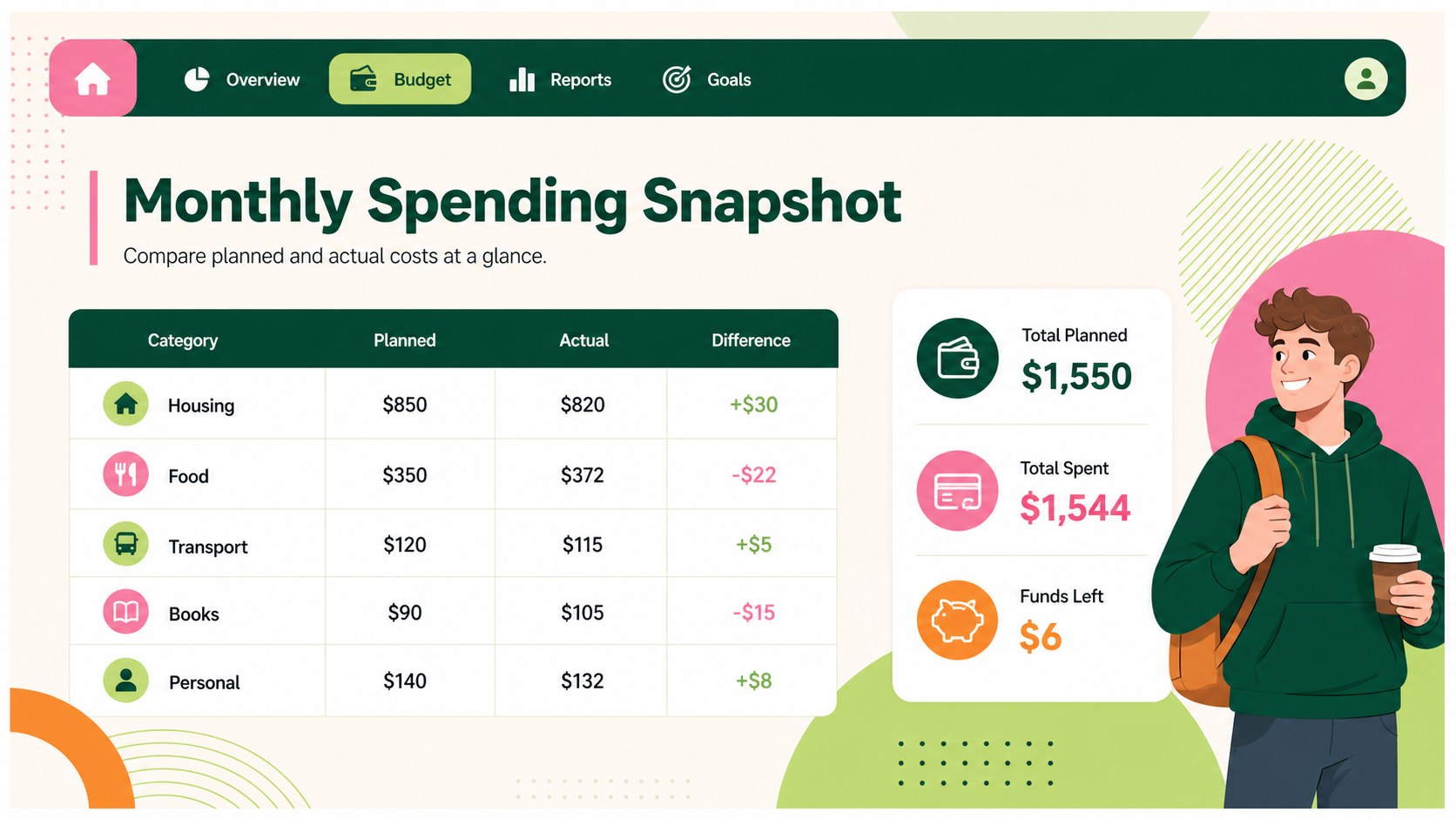
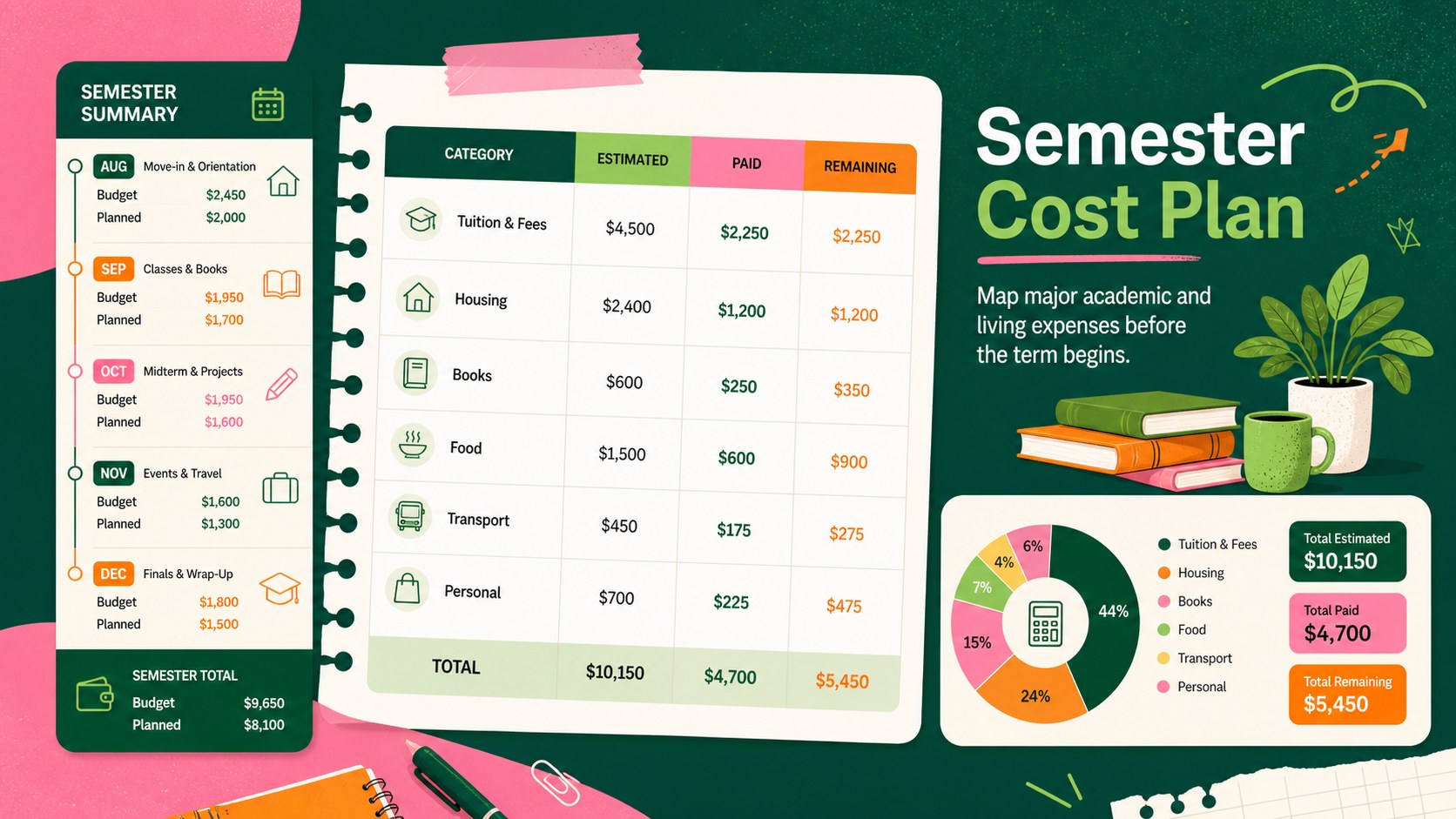
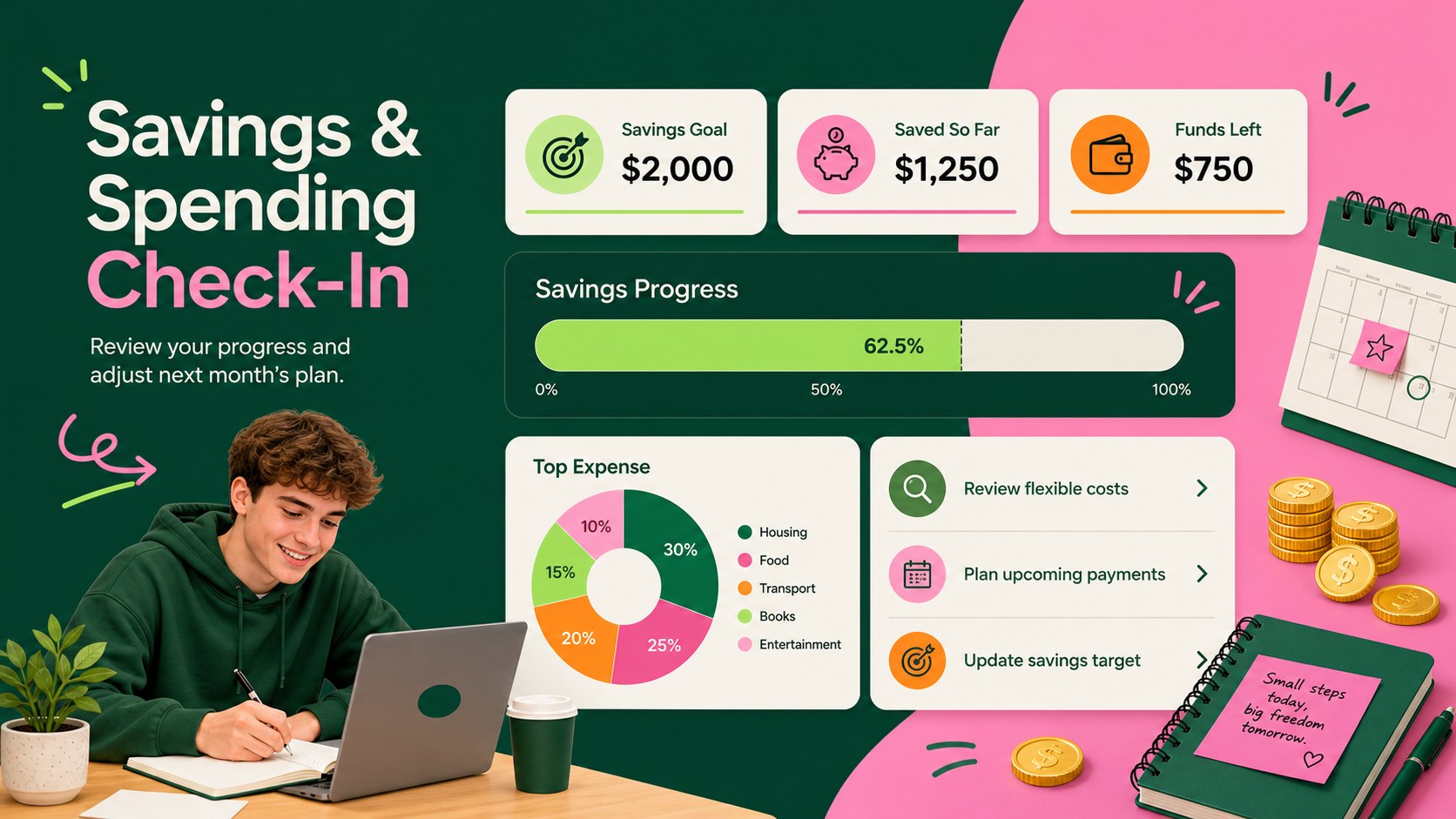
Inside, you will find a student monthly expense tracker for comparing planned and actual costs, a semester overview for larger academic expenses, category totals, and a savings check-in. Simple formulas help reveal remaining funds and spending differences, while editable labels let you adapt the workbook for dorm living, commuting, studying abroad, or sharing accommodation. Use it as a tuition and textbook cost tracker or expand it into a complete university spending planner spreadsheet.
This template is useful for undergraduates managing money independently, parents helping students prepare for a term, and academic advisers teaching practical financial habits. It works in Microsoft Excel and Google Sheets, so figures, categories, fonts, and colors can be adjusted to suit individual needs. Update it weekly for close control or use the summary areas for a quick monthly review. With essential costs and flexible spending shown together, students can make informed choices, prepare for upcoming payments, and keep savings goals visible throughout the semester.
Perfect for: semester expense planning; dorm living cost tracking; tuition and textbook monitoring; monthly student spending review; study abroad money planning.
Frequently asked questions
Can I edit the expense categories? Yes. Rename, remove, or add categories for costs such as tuition, housing, meal plans, transport, books, subscriptions, and entertainment. You can also adjust colors and labels without changing the overall structure.
Practical details
Yes. Rename, remove, or add categories for costs such as tuition, housing, meal plans, transport, books, subscriptions, and entertainment. You can also adjust colors and labels without changing the overall structure.
Yes, the template is designed for Microsoft Excel and Google Sheets. Minor font or spacing differences may appear when moving between platforms, so review the layout after importing.
Yes. Duplicate the monthly tracking section for each month and use the semester overview to combine major costs and totals. This makes it practical for both short-term spending checks and term-long planning.
Replace the default labels with categories that match your living situation. Dorm residents might add meal plans and laundry, while commuters can track fuel, parking, public transport, and vehicle costs.
Keep exploring
15Build stronger academic arguments with a college essay thesis builder featuring guided examples, revision prompts, and editable PowerPoint and Google Slides.
 15
15Build an engaging World UFO Day session with this flying saucer history lesson deck, featuring retro green-and-brown slides for PowerPoint and Google Slides.
 14
14Plan a memorable Lunar New Year campaign with the 2036 Dragon Year Celebration Theme, featuring bold red-and-yellow slides for lessons and events.
 15
15Build a thoughtful classroom discussion with this interfaith awareness lesson deck, featuring editable blue-and-white slides for PowerPoint and Google Slides.
 15
15Use this environmental awareness lesson deck to teach climate action through illustrated activities, discussion prompts, and ready-to-edit visuals.
 15
15Build playful lessons and party stories with a kid-friendly zombie celebration theme in purple, green and pastel blue for PowerPoint and Google Slides.
 15
15Build eerie lessons, campaigns, and story pitches with an undead survival scenario theme featuring editable slides for PowerPoint and Google Slides.
 16
16Turn environmental research into a clear story with a Watercolor Ecology Presentation Theme for PowerPoint and Google Slides in calming green and blue.